Playbook · Reporting · 15 min
Keep a creator roster alive with no manual work
Talent managers, agency rosters, ambassador programmes.
Connect the roster sheet to Radar once, point Profile metrics → Google Sheet at the handle column with append, and schedule it weekly. Each run writes followers, following, posts, average reel views and engagement rate into a new dated column. A sparkline per row and a simple "flat for 4 weeks" formula turn that into a growth view and a stall alert. Point Post metrics → Google Sheet at the deliverables tab daily and the roster also shows what each creator posted and how it did. Scheduling is free on Growth and Scale; the refresh costs 250 credits per 1,000 profiles.
You need
- A sheet with handles in one column
- Growth or Scale plan
Step by step in Zaver
- 1
Connect the sheet
Radar → Google Sheets → connect, share the sheet with the Radar service account once.
- 2
Schedule the profile refresh
Tools → Profile metrics → Google Sheet: tab, handle column, output column, append. Schedule weekly, Monday morning, email on completion.
- 3
Add growth and stall columns
Sparkline over the dated follower columns; a formula that flags a creator whose followers moved under 1% in four weeks.
- 4
Track deliverables daily
Tools → Post metrics → Google Sheet on the links tab, daily. New links are picked up on the next run.
- 5
Check the Runs page when something looks off
Every run shows delivered rows, credits debited and a log line per handle.
Or ask it in ChatGPT or Claude
With Zaver connected as an MCP server, the whole job is one message. Your assistant calls run_data_tool behind the scenes.
set up a weekly refresh of followers and engagement for my Roster sheet, appended as dated columns, and a daily post-metrics refresh for the Links tabget_run returns the status, units and files of any run.
Not connected yet? Set it up in about a minute.
Where it is in Google Sheets
The menu path, step by step. Labels match the Zaver.one add-on.
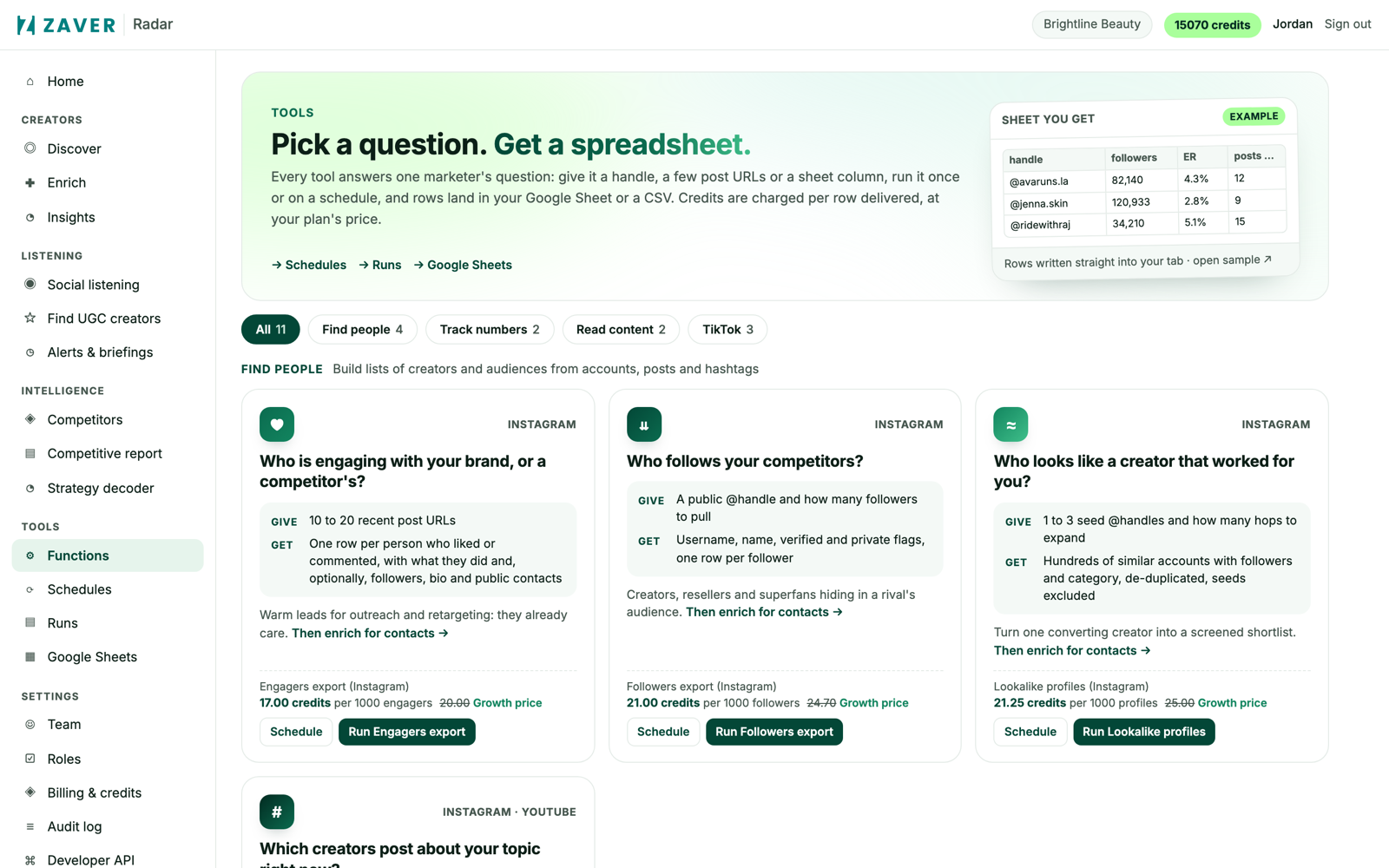
1 Radar → Tools: every tool runs once or on a schedule, and can write into a connected Google Sheet. 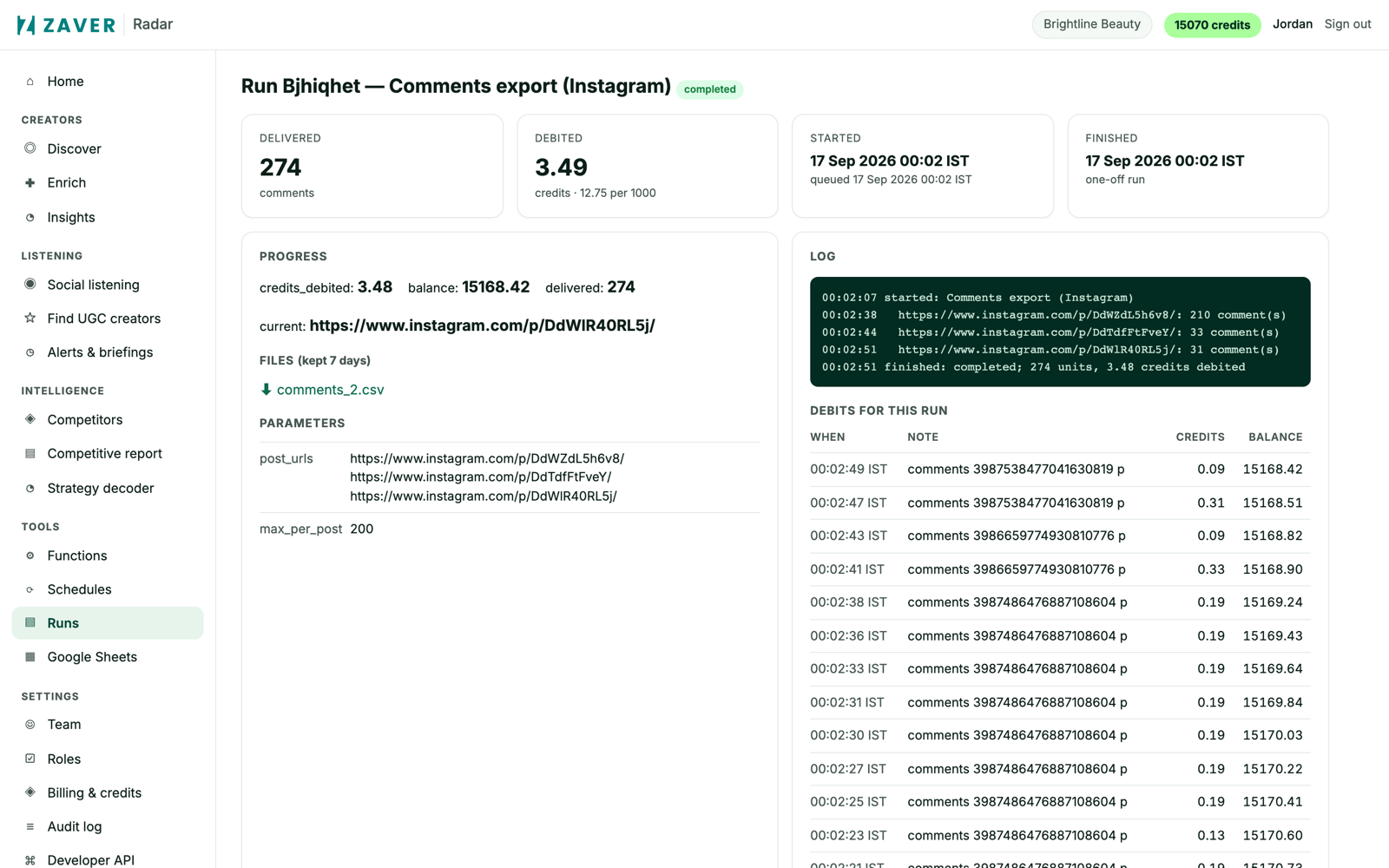
2 Radar → Runs: progress, log, credits debited and the CSV for every run. 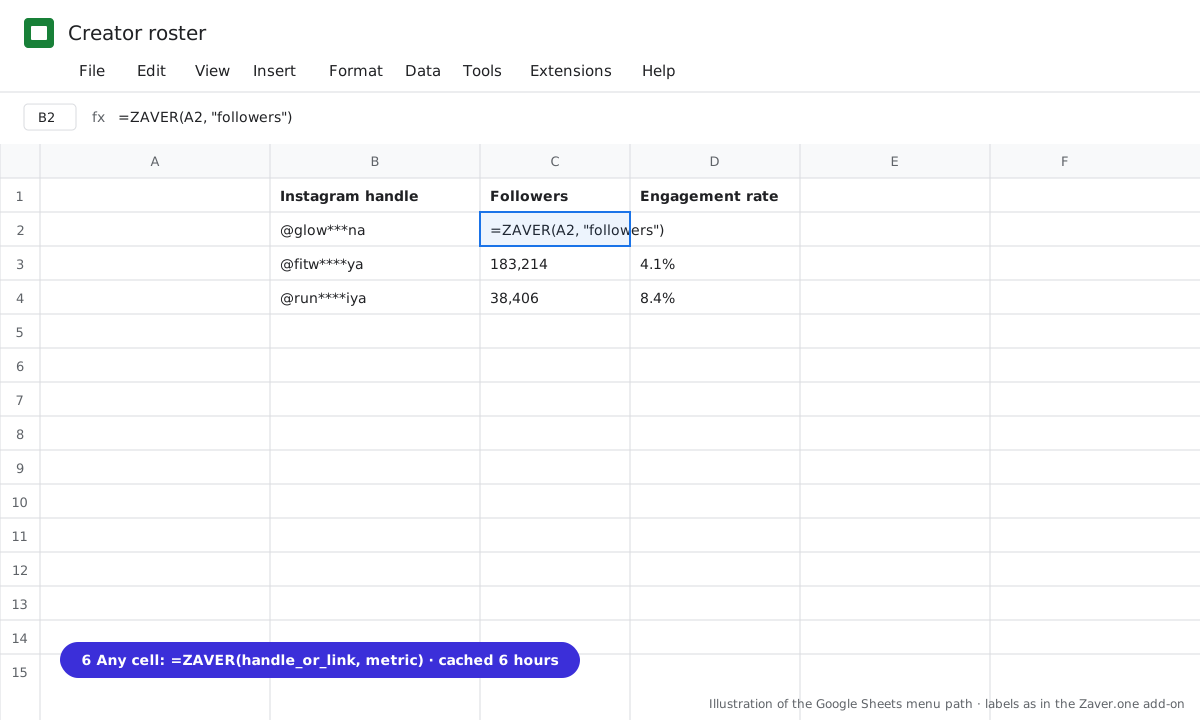
3 Any cell: =ZAVER(handle or link, metric).
What you get
Input: Roster · 120 handles · weekly append · stall flag
| Creator | 6 Oct | 13 Oct | 20 Oct | 27 Oct | Trend | Flag |
|---|---|---|---|---|---|---|
| @glow***na | 58.1K | 59.4K | 61.0K | 62.3K | ▲ +7% | |
| @fitw****ya | 184K | 184K | 183K | 183K | ▬ | stalled 4 wks |
| @sk***by.m | 7.2K | 8.1K | 9.0K | 10.4K | ▲ +44% | rising |
Illustrative sample. Handles are masked; numbers show the shape of a real result, not a specific account.
Cost
250 credits per 1,000 profiles per refresh; 150 per 1,000 posts. Scheduling free on Growth and Scale.
Limits
- Instagram profiles (YouTube channels coming)
- Runs pause when credits run out and resume after a top-up
Questions
Can I stop a run?
Yes, from the Runs page. Partial results are kept.
What if a creator changes handle?
The row returns "Profile not found" on the next run. Update the handle and it refreshes normally.
Related playbooks
Track creator follower growth weeklyAudit an inherited creator list in an afternoonRun any data tool on a schedule and get the file emailedCreator trackingAll playbooks