Feature · Creators
How do I get sign-off on a shortlist without another login?
Share any shortlist as a public link. Your client or brand manager opens it, reviews each creator’s profile, ticks the ones they want and downloads a CSV - no account, no login, no screenshots in a deck.
- A public link - reviewers need no account
- They open profiles, tick picks, download a CSV
- Nobody else has this: decide together, in one place
Start free - 7-day trial7-day free trial · 100 credits · no credit card
- You giveA shortlist you built in Radar.
- Radar doesPublishes it as a public page at radar.zaver.one/s/… titled by your query.
- You getA link your client opens to review profiles, tick picks and export - no login.
The review, without the friction
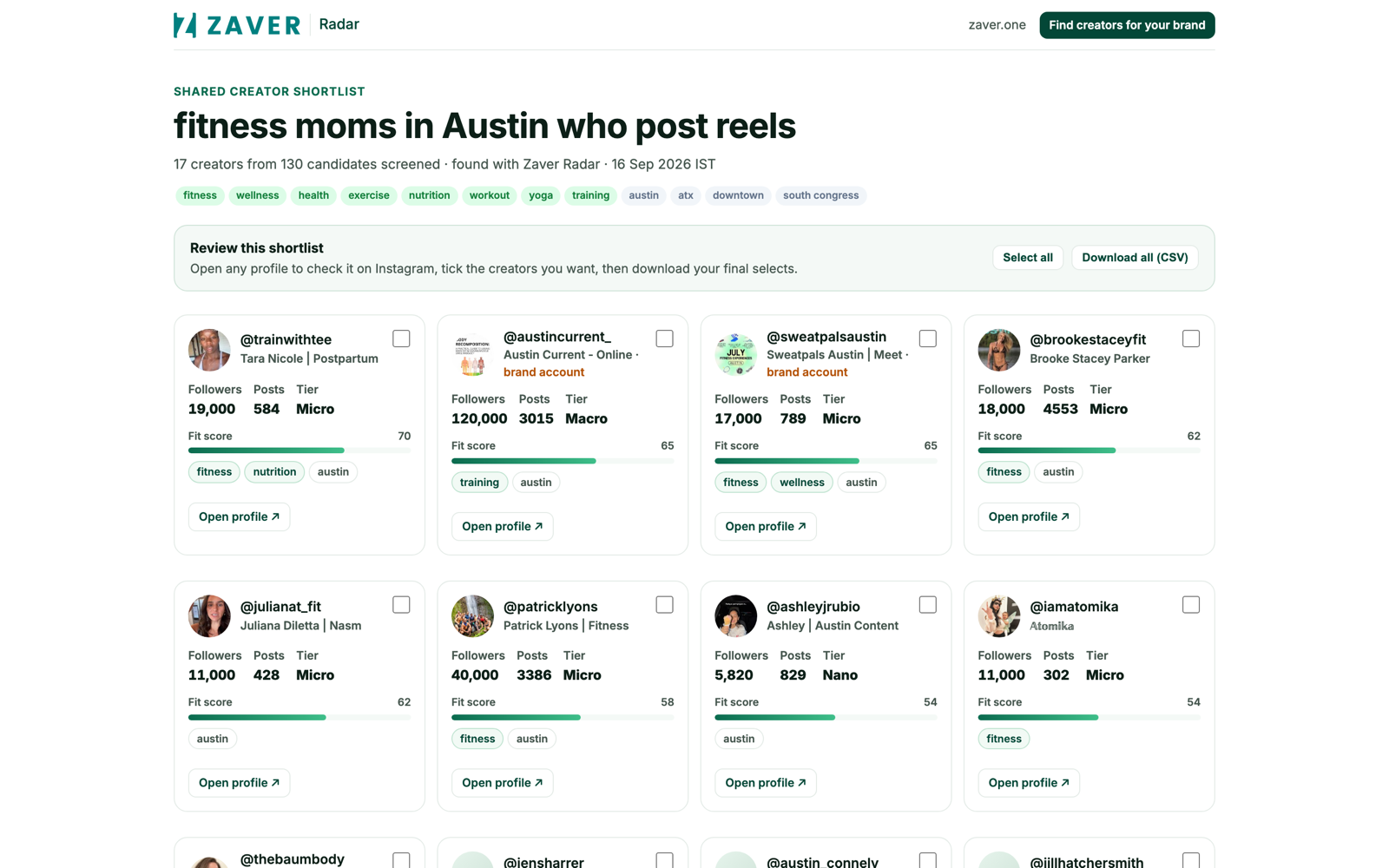
Getting a client or brand manager to approve a shortlist usually means a slide deck of screenshots or yet another tool login. Radar gives you a link instead: the reviewer opens the shortlist, reads each creator’s real profile, ticks the ones they want, and downloads a CSV of the selects - all without an account.
A page per query
Each shared shortlist lives at radar.zaver.one/s/<id>/<query-slug>, and the query you searched becomes the page title - so “running coaches in Los Angeles” is exactly what your client sees at the top.
Decide together
Because the reviewer’s picks come back to you, the shortlist becomes a shared decision instead of a one-way export. This is unique to Radar.
Used with
Frequently asked questions
Do reviewers need a Zaver account?
No. A shared shortlist is a public link - reviewers open profiles, tick their picks and download a CSV without logging in.
What does a share link look like?
radar.zaver.one/s/<id>/<query-slug>, where the query you searched becomes the page title.
Do the reviewer’s selections come back to me?
Yes - the picks are captured so the shortlist becomes a shared decision, not just a one-way export.
Start free - 7-day trial7-day free trial · 100 credits · no credit card