Feature · Tools
Can I do all this in the spreadsheet my team already uses?
Drop handles into a Google Sheet and get a vetted database back - followers, engagement, contacts, niche and a fair USD price as sortable columns - with post and profile metrics that refresh on a schedule.
- Enrich handles with report data without leaving Sheets
- Contacts from public bios: emails, phones, WhatsApp
- Post & profile metrics that self-update on a schedule
Install from Google Workspace Marketplace →7-day free trial · 100 credits · no credit card
- You giveA Google Sheet of creator handles (shared with Radar’s service account).
- Radar doesRuns the function you pick and writes the results into your columns.
- You getA living sheet - enriched data now, and metrics that refresh on a schedule.
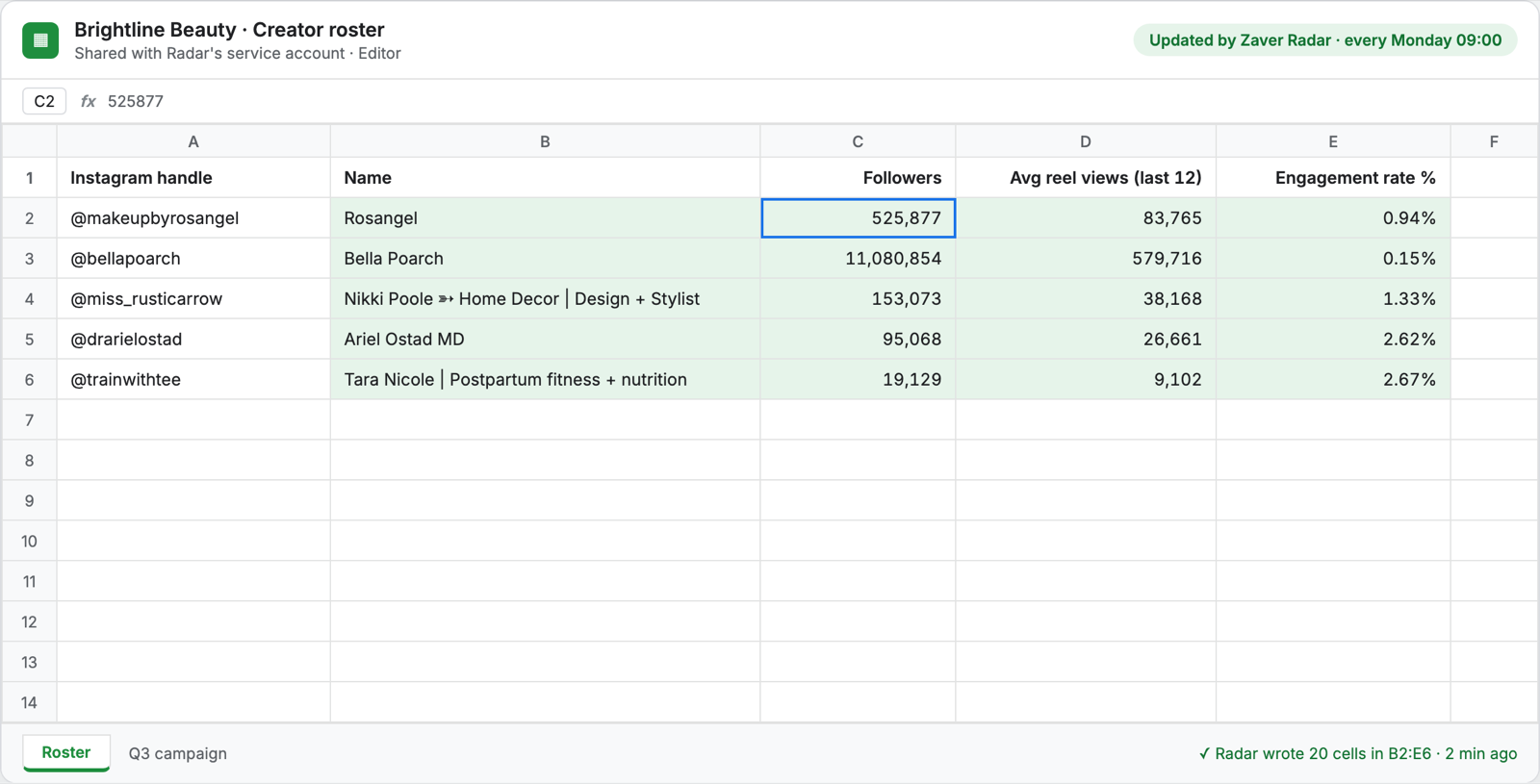
Why spreadsheets win for creator ops
Every agency and brand team already runs shortlists, client reviews and campaign trackers in spreadsheets. Instead of forcing a new tool, Radar puts its creator brain behind the cells you already share, sort and present.
How the connection works
You share your Google Sheet with Radar’s service account and pick that sheet in any function. Radar reads the handles you point it at and writes results back into your own columns - nothing else in your Drive is touched. Post metrics and profile metrics can run on a schedule, so the sheet stays current on its own.
- Share your sheet with the Radar service account
- Pick the sheet in any function (enrich, post metrics, profile metrics)
- Results write into your own columns, refreshable on a schedule
One workspace, one credit pool
The add-on shares your Radar workspace and credits - start a list in Sheets, continue in the app, or the other way around.
Used with
Post metrics to SheetsProfile metrics to SheetsCreator insights
Profile or post metrics to Sheets cost 250 / 1,000 rows; enrichment is 1 credit per profile.
Frequently asked questions
How does Radar connect to my sheet?
You share your Google Sheet with Radar’s service account and select it inside a function. Radar reads the handles you point it at and writes results into your own columns - it doesn’t touch anything else in your Drive.
Do the metrics stay up to date?
Yes - post and profile metrics can run on a schedule, so the sheet refreshes itself instead of needing a manual re-paste.
How do I install it?
From the Google Workspace Marketplace - install the add-on and launch it from the Extensions menu in any sheet. It uses your workspace credits.
Which platforms do post metrics cover?
Post metrics span Instagram, YouTube, Facebook and X.
Install from Google Workspace Marketplace →7-day free trial · 100 credits · no credit card