Playbook · Functions, API and MCP · 5 min
Run any data tool on a schedule and get the file emailed
Teams who want reports to arrive, not be made.
Open Tools in Radar, pick a tool, fill its parameters and click Schedule instead of Run. Choose once, daily at a time, weekly on days, or every N hours (IST), add notification emails and optionally a connected Google Sheet. Radar queues each run, charges only the units used, keeps CSV outputs for seven days on the Runs page, and stops when you pause the workflow or credits run out. Scheduling is free on Growth and Scale; the tool's own per-row price applies.
You need
- Growth or Scale plan
- The tool parameters you would use for a single run
Step by step in Zaver
- 1
Pick the tool
Radar → Tools. Eleven tools across Find people, Track numbers, Read content and TikTok, each with Schedule and Run.
- 2
Fill parameters
The same fields as a one-off run: handles, post URLs, hashtags, limits.
- 3
Set the schedule
Once, daily at a time, weekly on chosen days, or every N hours. Times are IST.
- 4
Choose the destination
Email on completion; optionally a connected Google Sheet and tab for the rows.
- 5
Watch the Runs page
Progress, log, delivered rows, credits debited and the CSV. Pause the workflow any time; partial results are kept.
Or ask it in ChatGPT or Claude
With Zaver connected as an MCP server, the whole job is one message. Your assistant calls run_data_tool behind the scenes.
list the data tools, then schedule a daily hashtag crawl of #<ourhashtag> and a weekly followers export of @ourbrand, emailing me the fileslist_data_tools shows every tool and its parameters; get_run reports status.
Not connected yet? Set it up in about a minute.
Where it is in Google Sheets
The menu path, step by step. Labels match the Zaver.one add-on.
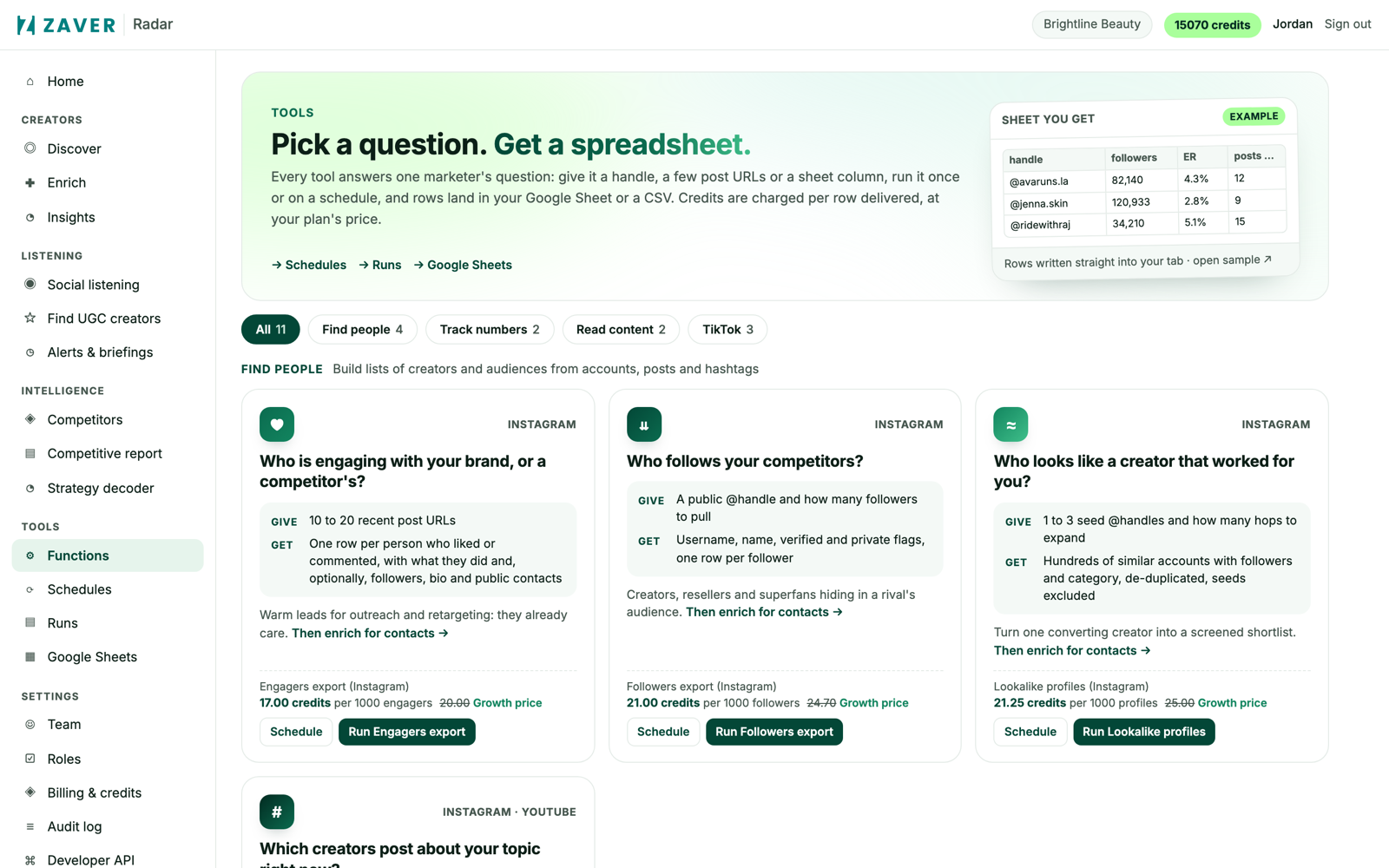
1 Radar → Tools: every function runs once or on a schedule. 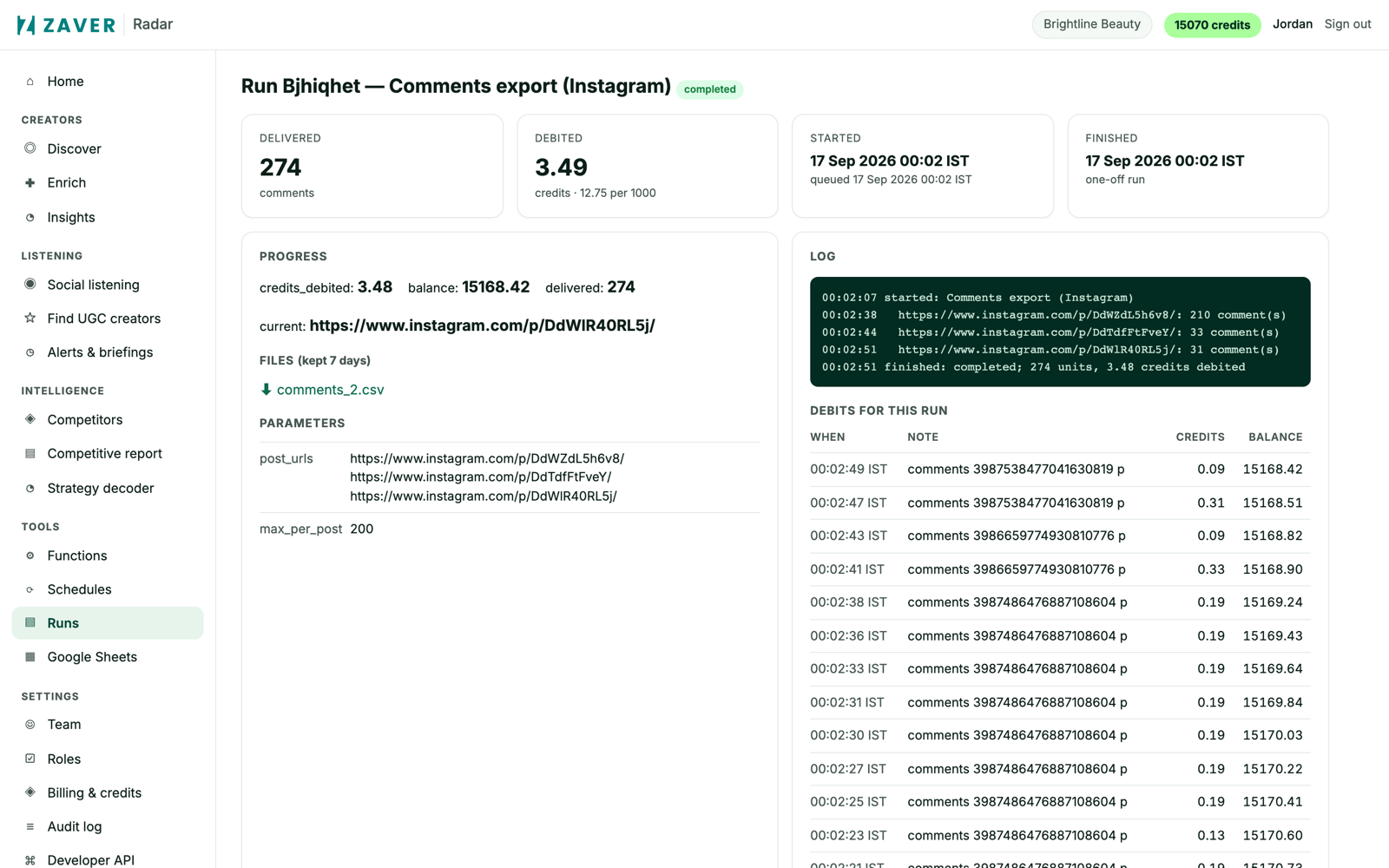
2 Radar → Runs: delivered rows, credits debited, a log line per item and the CSV.
What you get
Input: Comments export · 3 posts · one-off
| Delivered | Debited | Started | Finished | File |
|---|---|---|---|---|
| 274 comments | 3.49 credits (12.75 per 1,000) | 00:02 IST | 00:02 IST | comments_2.csv |
The log shows one line per post with the count collected, and the debits table shows every charge against the balance.
Illustrative sample. Handles are masked; numbers show the shape of a real result, not a specific account.
Limits
- Sheets must be shared with the Radar service account once
- Files are kept for 7 days on the Runs page
Questions
Can I stop a run?
Yes, from the Runs page. Partial results are kept and charged only for units delivered.
What happens when credits run out?
The workflow pauses and resumes after a top-up or the next cycle.
Related playbooks
Keep a creator roster alive with no manual workTrack a branded hashtag campaign automaticallyAutomate influencer campaign reporting in Google SheetsCreator trackingAll playbooks