Playbook · Reporting · 5 min
Track creator follower growth weekly
Talent managers, creator rosters and benchmark sheets.
Put the handles in a column, connect the sheet, point the Profile metrics → Google Sheet tool at it and schedule it weekly with append instead of overwrite. Each week Zaver loads every profile and a reel sample and writes followers, following, posts, average reel views and engagement rate into a new dated column, so growth is a chart away. It costs 250 credits per 1,000 profiles, so a roster of 200 refreshed weekly is 50 credits.
You need
- A sheet with handles in one column
- Growth or Scale plan for scheduling
Step by step in Zaver
- 1
Connect and point
Google Sheets → connect. Tools → Profile metrics → Google Sheet: tab, handle column, row range, output column, metrics.
- 2
Choose append
Append writes into new dated columns instead of overwriting, which is what growth tracking needs.
- 3
Schedule weekly
Pick the day and time. Email on completion.
- 4
Chart it
A sparkline per row over the dated columns shows who is growing and who is stalling.
Or ask it in ChatGPT or Claude
With Zaver connected as an MCP server, the whole job is one message. Your assistant calls run_data_tool behind the scenes.
refresh followers and engagement for the handles in my Roster sheet every Monday, append as a new columnNot connected yet? Set it up in about a minute.
In Google Sheets
On demand: select the handles and run Extensions → Zaver.one → Profile Analytics → Update Follower Counts or Analyze selected profiles. Re-running reuses the existing columns.
Where it is in Google Sheets
The menu path, step by step. Labels match the Zaver.one add-on.
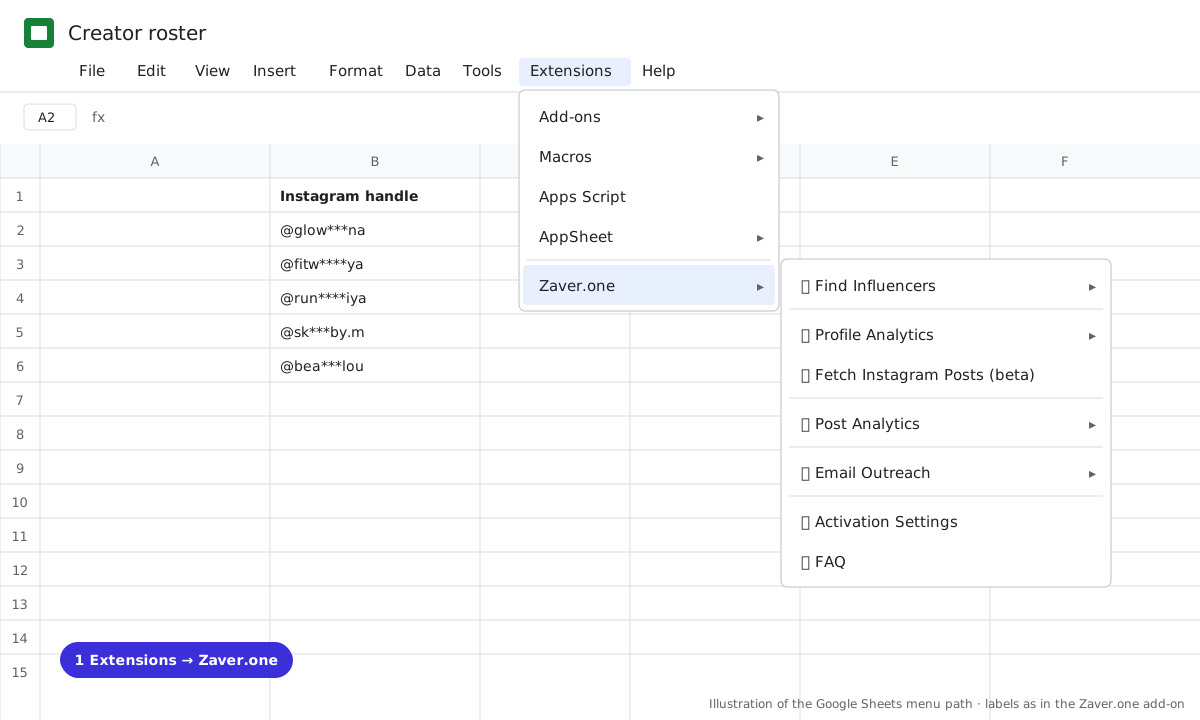
1 Extensions → Zaver.one. Every action starts here. 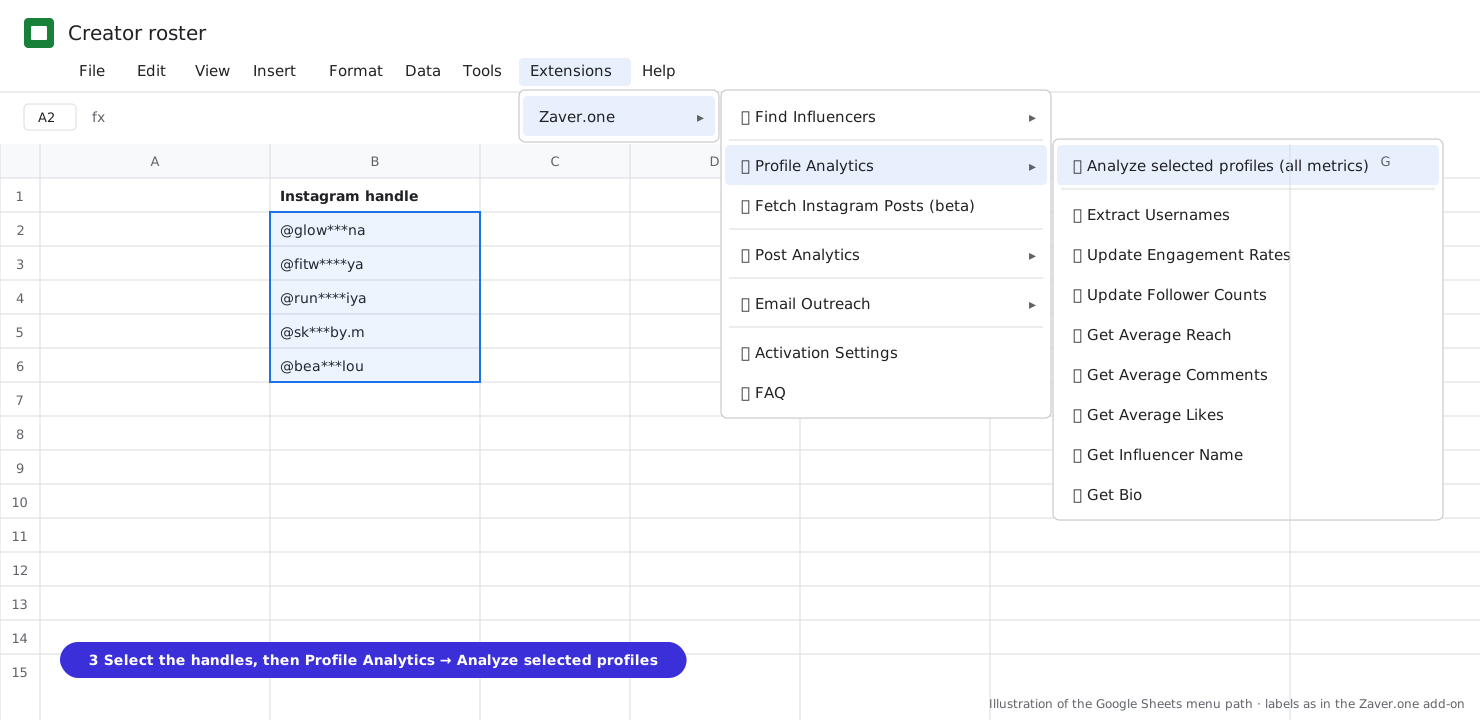
2 Select the handles, then Profile Analytics → Analyze selected profiles (all metrics).
What you get
Input: Roster tab · 200 handles · weekly · append
| Creator | 6 Oct | 13 Oct | 20 Oct | Trend |
|---|---|---|---|---|
| @glow***na | 58.1K | 59.4K | 61.0K | ▲ +5% |
| @fitw****ya | 184K | 184K | 183K | ▬ flat |
| @sk***by.m | 7.2K | 8.1K | 9.0K | ▲ +25% |
Illustrative sample. Handles are masked; numbers show the shape of a real result, not a specific account.
Limits
- Instagram (YouTube channels coming)
- Append or dated columns for history; overwrite for a live snapshot
Questions
Can it track growth over time?
Yes. Append instead of overwrite, or schedule into dated columns.
Related playbooks
Turn your influencer scouting sheet into a live trackerGet Instagram engagement rates in Google SheetsProfile metrics to SheetsAll playbooks