Playbook · Google Sheets · 3 min
Get Instagram engagement rates in Google Sheets
Creator rosters, agency pitch lists, talent managers.
Select the usernames, @handles or profile links and run Extensions → Zaver.one → Profile Analytics → Analyze selected profiles. Eight columns are written beside the selection; re-running on the same rows refreshes them instead of adding more. For a single value in a cell, =ZAVER("handle", "engagement_rate") works like any formula, with followers, avg_likes, avg_comments, avg_reach, name and bio as the other metrics. Lookups are cached for six hours.
You need
- The add-on connected with a Radar API key
- A column of handles or links
Step by step in Zaver
- 1
Select the column
Usernames, @handles or profile links, one per row. A header row is skipped.
- 2
Run Analyze selected profiles
About 1 to 4 seconds per row; around five minutes per run under Google's limit, then select the rest and run again.
- 3
Or use the formula
For a single cell: =ZAVER("handle", "engagement_rate"). "Error: Loading data…" is Sheets still fetching, not a failure.
- 4
Single-metric items
Update Follower Counts, Update Engagement Rates, Get Average Reach, Comments or Likes, Get Influencer Name, Get Bio fill one column each. Extract Usernames turns links into handles for free.
In Google Sheets
Formula metrics: followers, engagement_rate, avg_likes, avg_comments, avg_reach, name, bio.
=ZAVER("fitw****ya", "engagement_rate")Where it is in Google Sheets
The menu path, step by step. Labels match the Zaver.one add-on.
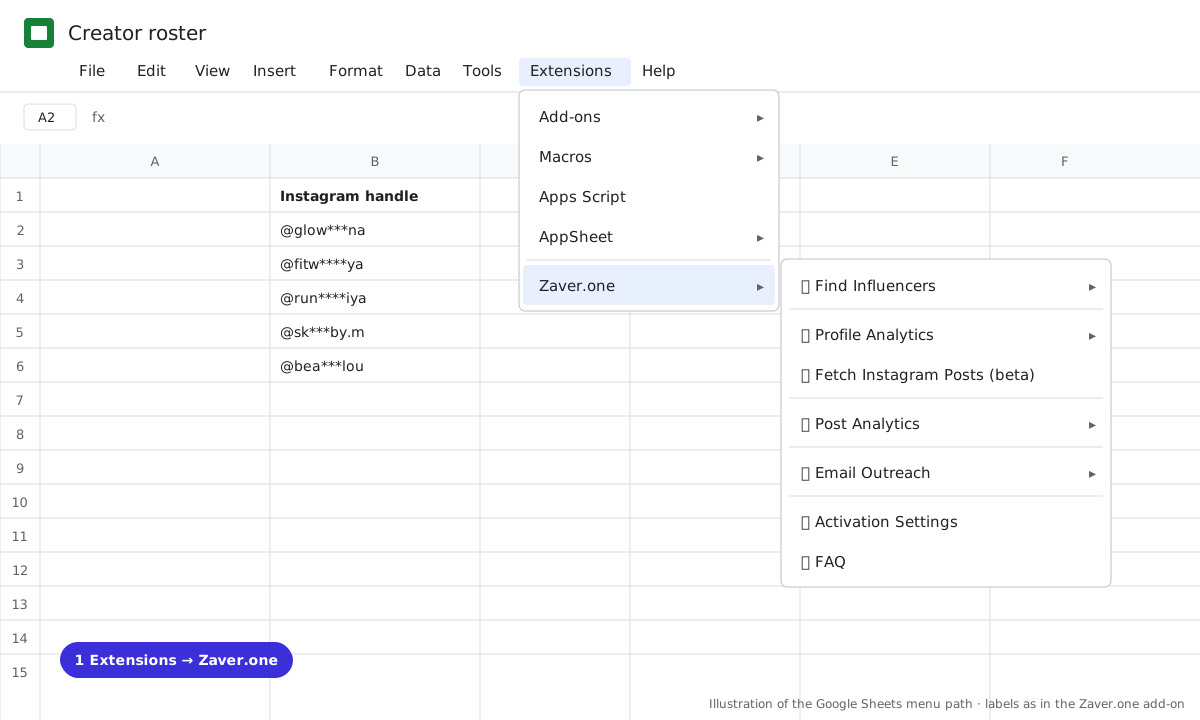
1 Extensions → Zaver.one. Every action starts here. 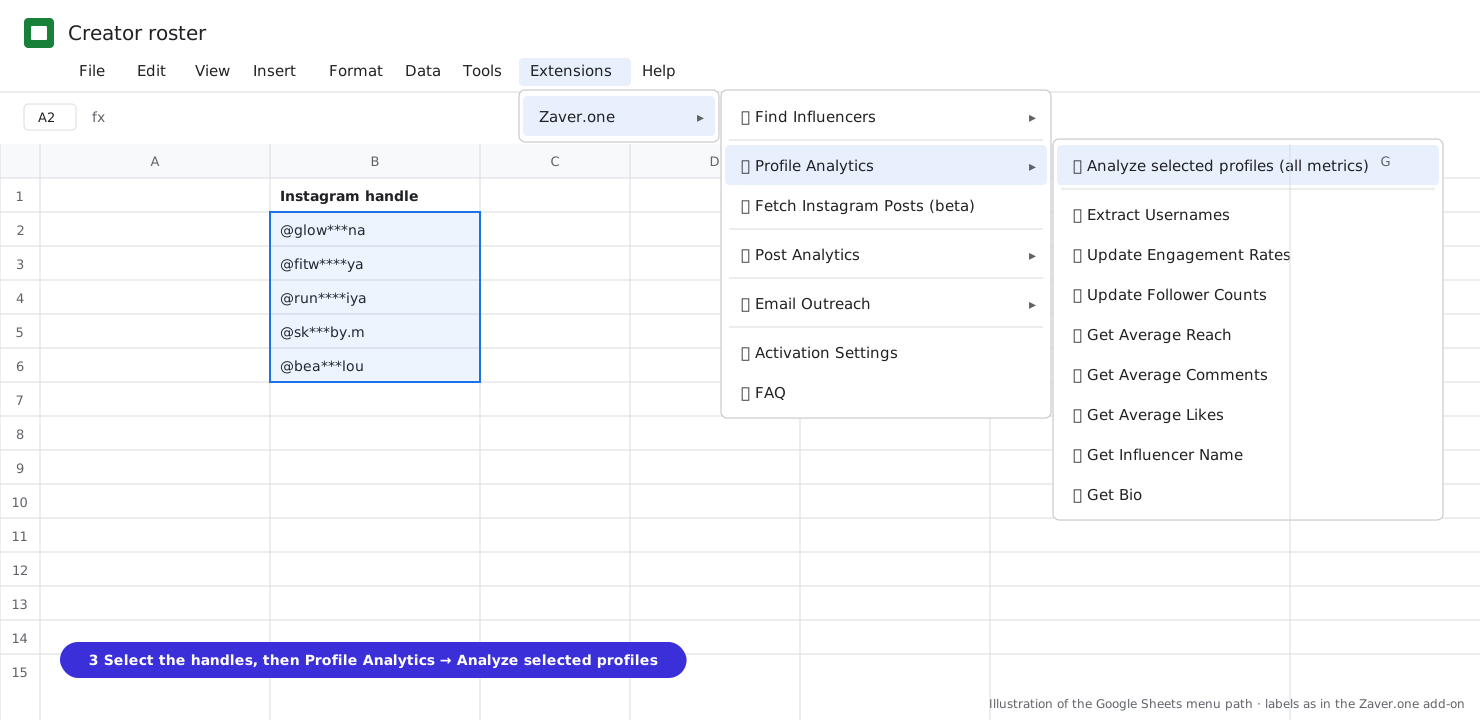
2 Select the handles, then Profile Analytics → Analyze selected profiles (all metrics). 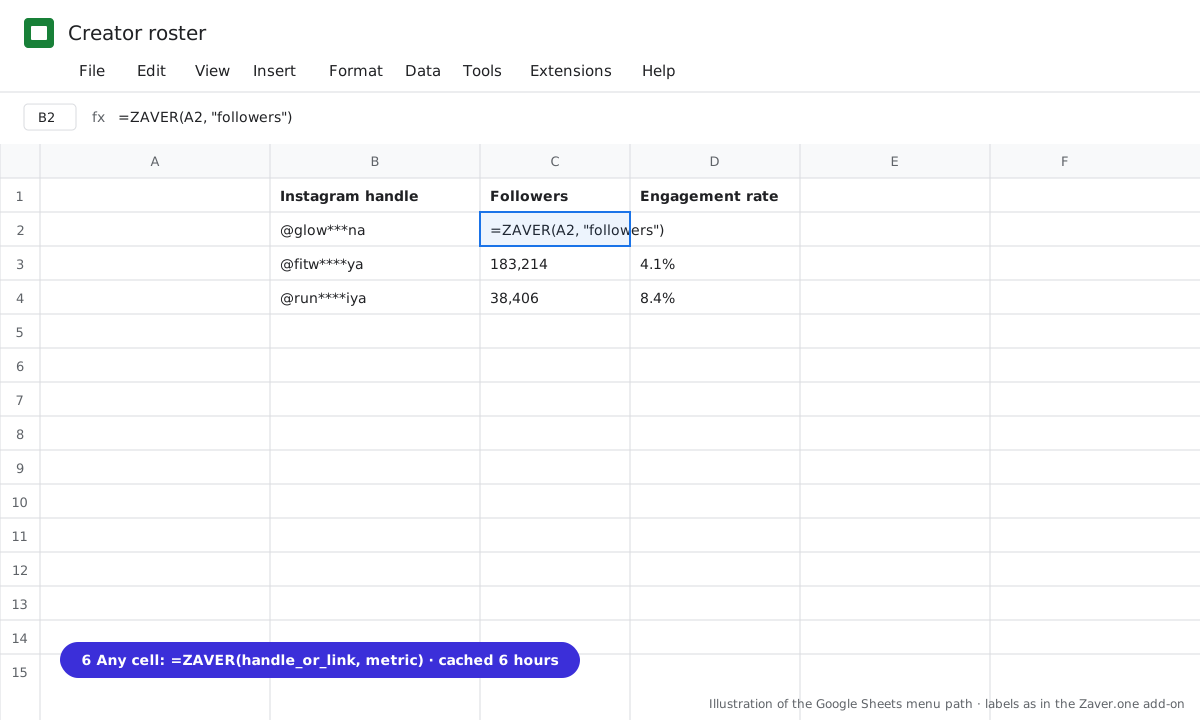
3 Any cell: =ZAVER(handle or link, metric).
What you get
Input: column of 40 handles · Analyze selected profiles
| Username | Name | Followers | Engagement rate | Avg likes | Avg reach |
|---|---|---|---|---|---|
| @fitw****ya | M. S. | 183K | 4.1% | 7.5K | 92K |
| @run****iya | P. K. | 38K | 8.4% | 3.2K | 41K |
Illustrative sample. Handles are masked; numbers show the shape of a real result, not a specific account.
Limits
- About 5 minutes per run (Google's limit)
- Stops on insufficient credits
Questions
Can I refresh last week's numbers?
Yes. Run Analyze selected profiles again on the same rows; matching headers are reused.
What about errors?
Per-row problems such as "Profile not found" are written into the cell and the run continues.
Related playbooks
Turn your influencer scouting sheet into a live trackerTrack creator follower growth weeklyGoogle Sheets add-onAll playbooks