Playbook · Google Sheets · 45 min
Run gifting and seeding at 100 creators from one sheet
DTC brands and agencies that seed products to many small creators and need volume without chaos.
Build the list with a database search: niche, country, 1k to 50k followers, budget tier, has public email, brand accounts excluded. Paste it into a Seeding tab. Send the Product Sampling template from the add-on with merge fields, which logs each send to Email Reports. Keep Status and Address columns yourself. As creators post, paste links into a Posts tab and let Post Analytics fill the numbers, or schedule the Radar tool daily. One sheet, one hundred creators, no tool-hopping.
You need
- Niche, country and a per-creator budget
- The add-on connected
- Products ready to ship
Step by step in Zaver
- 1
Build the list
Ask your assistant for a database search with has_email on and brand accounts excluded, or export from Radar. Paste Handle, Followers, Email into a Seeding tab.
- 2
Check a sample
Run insight reports on ten names across the list. If audience and engagement hold, trust the rest.
- 3
Send the seeding offer
Select the rows, Extensions → Zaver.one → Email Outreach → Send Personalized Emails → Product Sampling template. Merge {{Name}} and {{product_name}}. Sends log to Email Reports with status.
- 4
Track replies and shipping by hand
Status (sent, replied, address received, shipped) and Address are your columns. Conditional formatting on the date surfaces stale threads.
- 5
Track posts
Paste every tagged post link into a Posts tab. Post Analytics fills Posted By, Type, Likes, Comments, Plays, Views. For hands-off, schedule Post metrics → Google Sheet daily.
- 6
Catch the ones you missed
Radar → Find UGC creators lists everyone tagging your brand, so a creator who posted without telling you still shows up.
Or ask it in ChatGPT or Claude
With Zaver connected as an MCP server, the whole job is one message. Your assistant calls search_creator_database behind the scenes.
search the creator database: skincare, US, 1k–50k followers, budget tier, has email, no brand accounts, 100 rowsNot connected yet? Set it up in about a minute.
Where it is in Google Sheets
The menu path, step by step. Labels match the Zaver.one add-on.
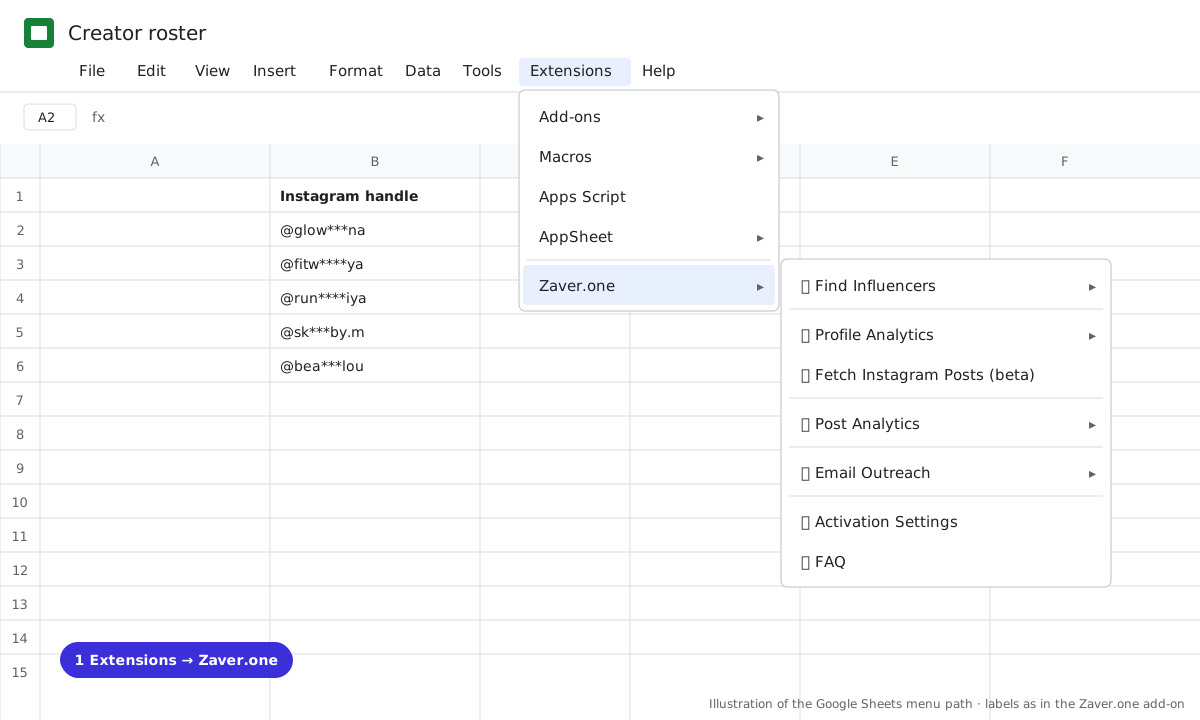
1 Extensions → Zaver.one. Every add-on action starts here. 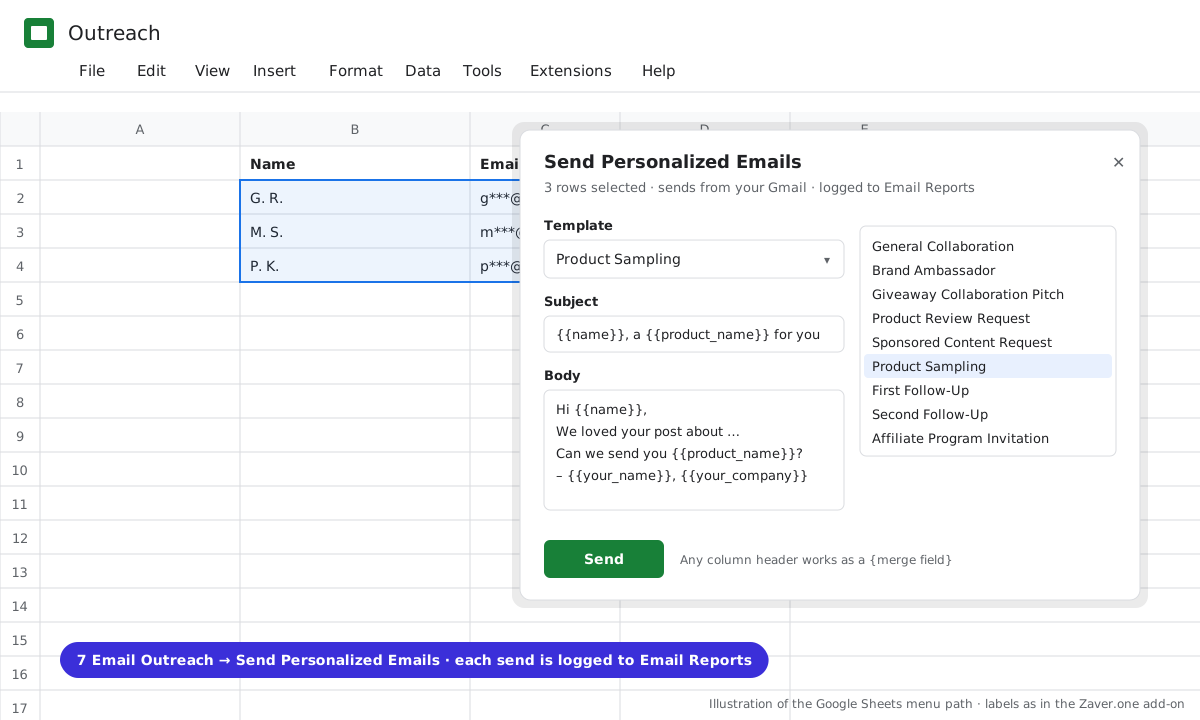
2 Email Outreach → Send Personalized Emails: pick a template, merge {{columns}}, send from Gmail; every send is logged. 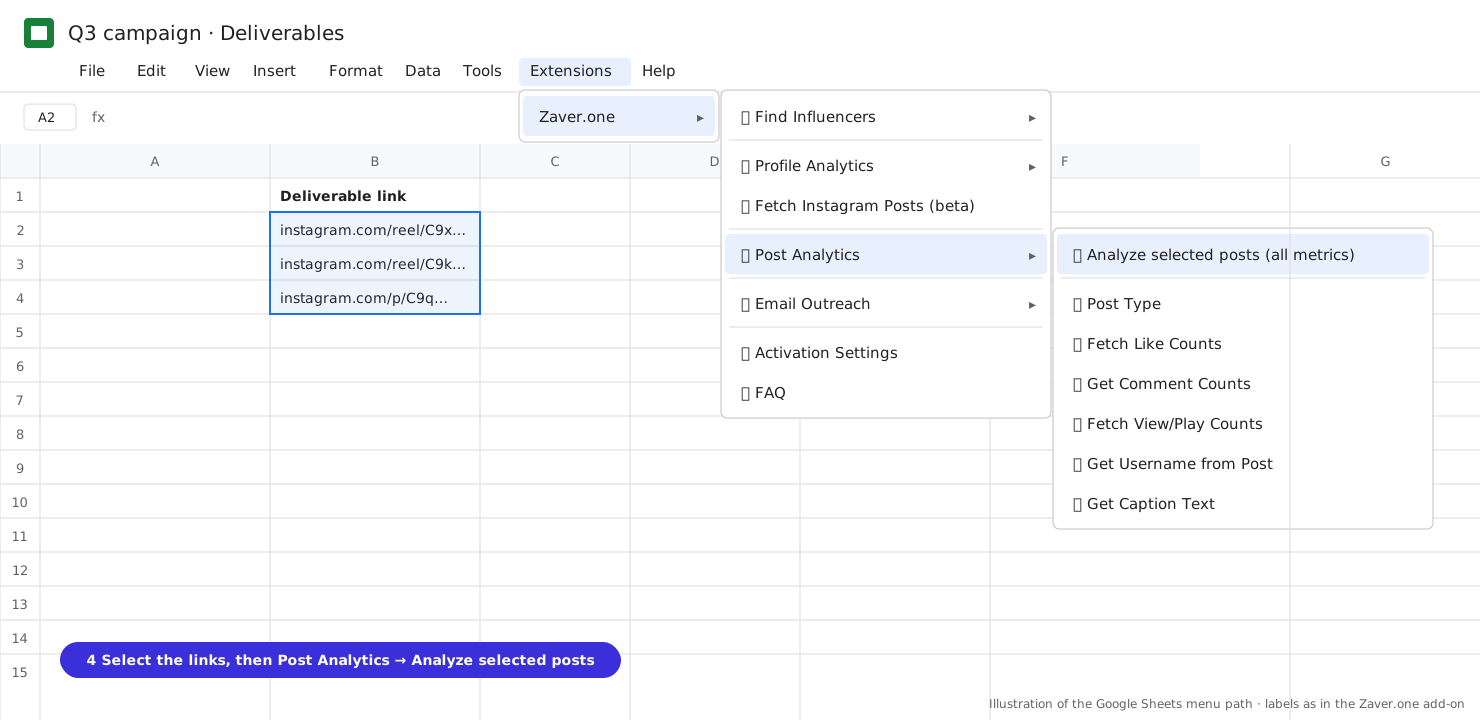
3 Select the post links, then Post Analytics → Analyze selected posts (all metrics). 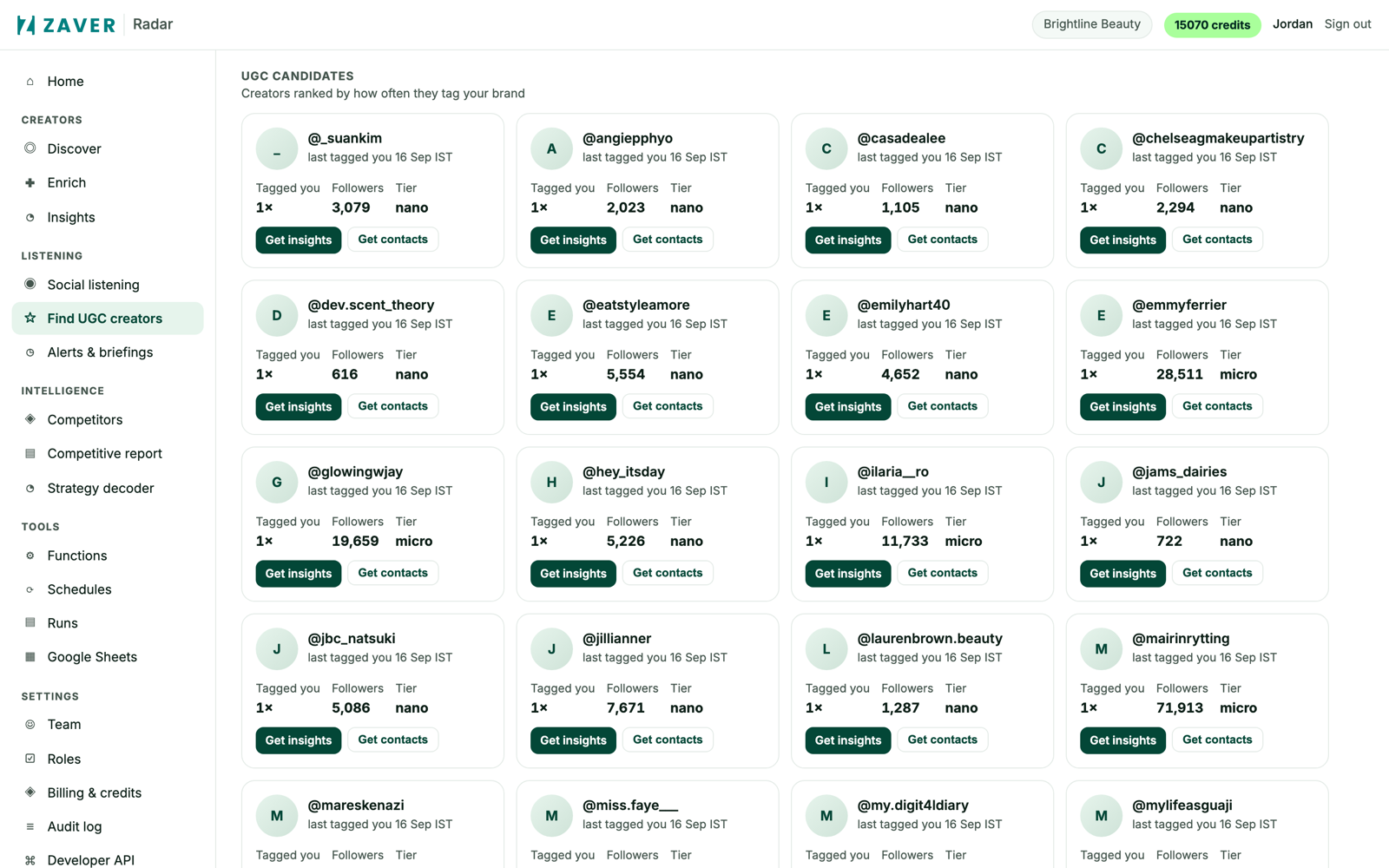
4 Radar → Find UGC creators: creators ranked by how often they tag your brand, with Get insights and Get contacts on each.
What you get
Input: Seeding tab · 100 creators · Product Sampling template
| Creator | Followers | Sent | Status | Posted | Views |
|---|---|---|---|---|---|
| @sk***by.m | 9.0K | 14 Oct · sent | shipped | reel · 22 Oct | 14K |
| @bea***lou | 22K | 14 Oct · sent | address received | ||
| @der***nyc | 48K | 14 Oct · sent | no reply |
Typical seeding maths: of 100 sent, a third reply, a fifth post. The sheet shows which fifth.
Illustrative sample. Handles are masked; numbers show the shape of a real result, not a specific account.
Cost
Database search per row; enrichment 1 credit per profile; post lookups per row. Emails send from your Gmail within Google's daily quota.
Limits
- Email Outreach logs sends, not replies
- Google's daily Gmail sending quota applies
- Bulk post analytics is Instagram
Questions
Can I personalise beyond the name?
Any column header works as a {{merge field}} in subject or body, so a Product column or a Why-you column merges in.
How do I find creators who posted without tagging?
Set up a social listener with your brand and product names as queries; tagged posts show in Find UGC creators automatically.
Related playbooks
Find nano and micro influencers for product seedingFind the UGC creators already using your brandTurn your influencer scouting sheet into a live trackerGoogle Sheets add-onAll playbooks