Playbook · Reporting · 30 min
Measure an influencer campaign without a platform
Marketers who have to prove a campaign worked and refuse to buy a dashboard to do it.
Put every deliverable link in a Deliverables tab with the creator and the spend. Let Zaver refresh views, likes, comments, shares, posted date and author beside each link every morning. Add four formulas: cost per view, cost per engagement, engagement rate on the post, and reach as a share of the creator's average, which you also have from the profile refresh. For revenue, give each creator a promo code or UTM link and paste redemptions into a column; a Shopify integration for revenue attribution is coming soon. That is a complete measurement sheet with no platform between you and the numbers.
You need
- Deliverable links and spend per creator
- Promo codes or UTM links per creator for revenue
- Growth or Scale plan for daily refresh
Step by step in Zaver
- 1
One row per deliverable
Creator, Post link, Spend, Promo code. Agreed-but-unposted rows stay with an empty link.
- 2
Refresh the numbers
Add-on: select the links, Post Analytics → Analyze selected posts. Hands-off: Radar → Tools → Post metrics → Google Sheet on the tab, daily.
- 3
Add the four formulas
Cost per view = Spend / Views. Cost per engagement = Spend / (Likes + Comments). Post engagement rate = (Likes + Comments) / creator followers. Reach vs usual = Views / creator average reel views from the profile refresh.
- 4
Add revenue by code
Paste promo-code redemptions or UTM conversions per creator from your store. Revenue per creator and ROAS follow.
- 5
Roll up
Campaign totals, average cost per view, best and worst creator on each number. That is the review.
Or ask it in ChatGPT or Claude
With Zaver connected as an MCP server, the whole job is one message. Your assistant calls run_data_tool behind the scenes.
refresh post metrics on my Deliverables tab every morning and tell me cost per view and cost per engagement per creator from the Spend columnNot connected yet? Set it up in about a minute.
In Google Sheets
KPI tiles can read live values straight from a link.
=ZAVER("https://www.instagram.com/reel/…", "views")Where it is in Google Sheets
The menu path, step by step. Labels match the Zaver.one add-on.
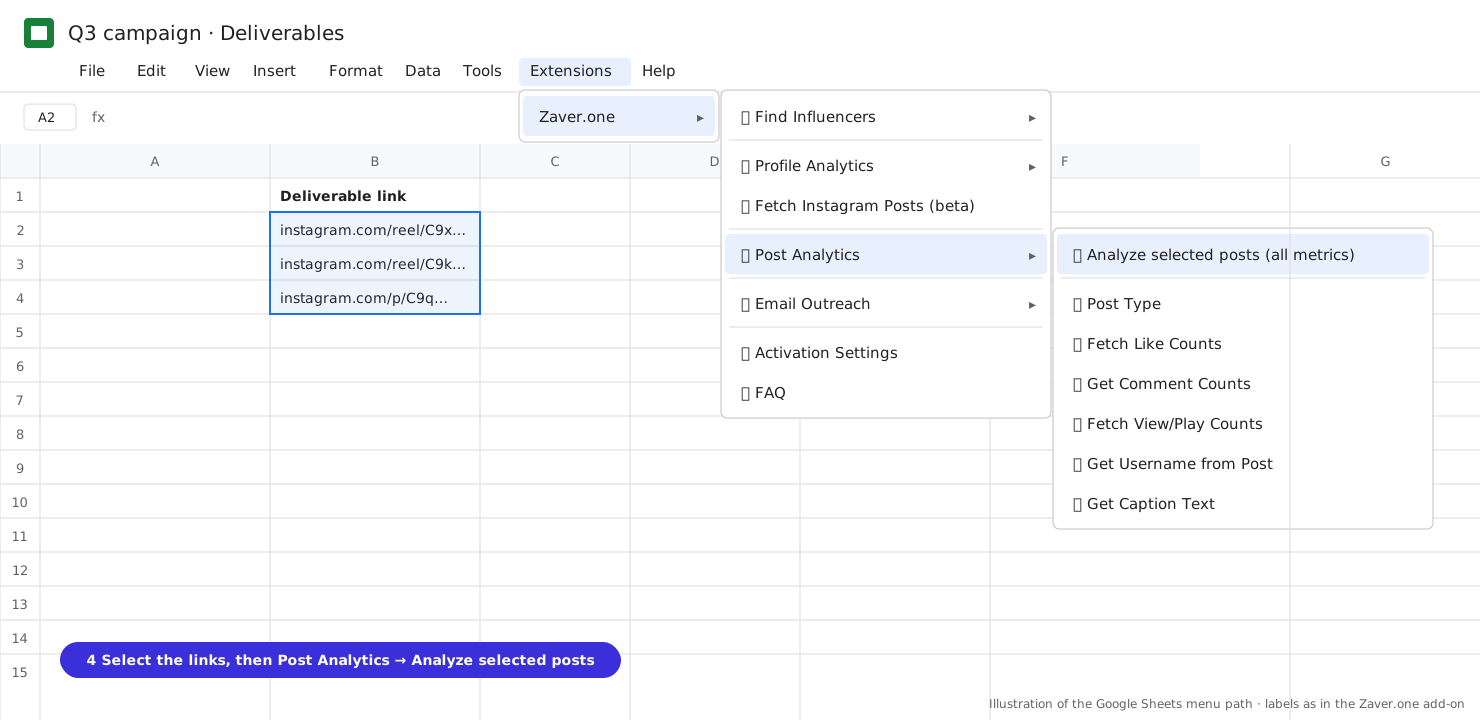
1 Select the post links, then Post Analytics → Analyze selected posts (all metrics). 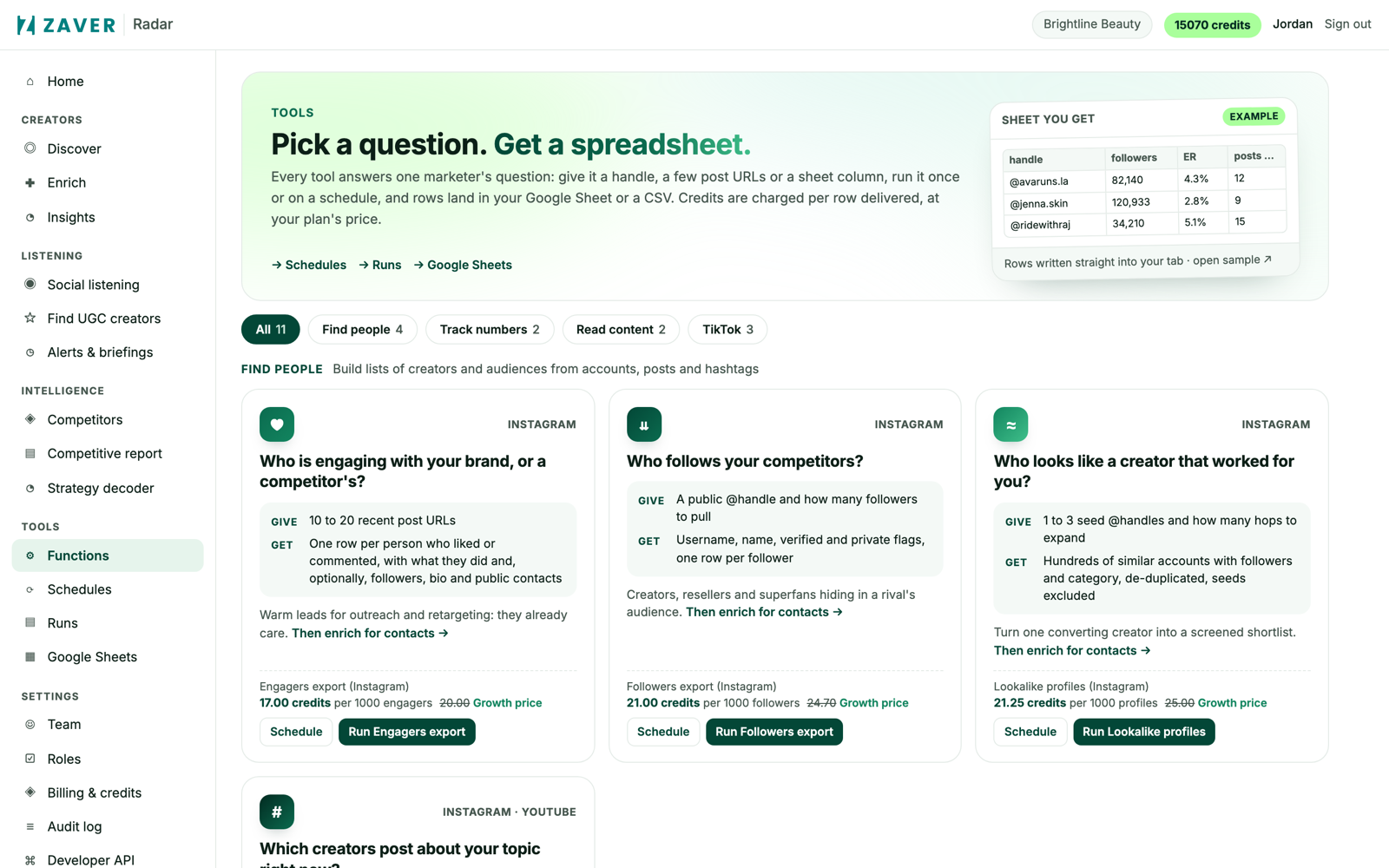
2 Radar → Tools: run once or on a schedule; results land in a connected Google Sheet or a CSV. 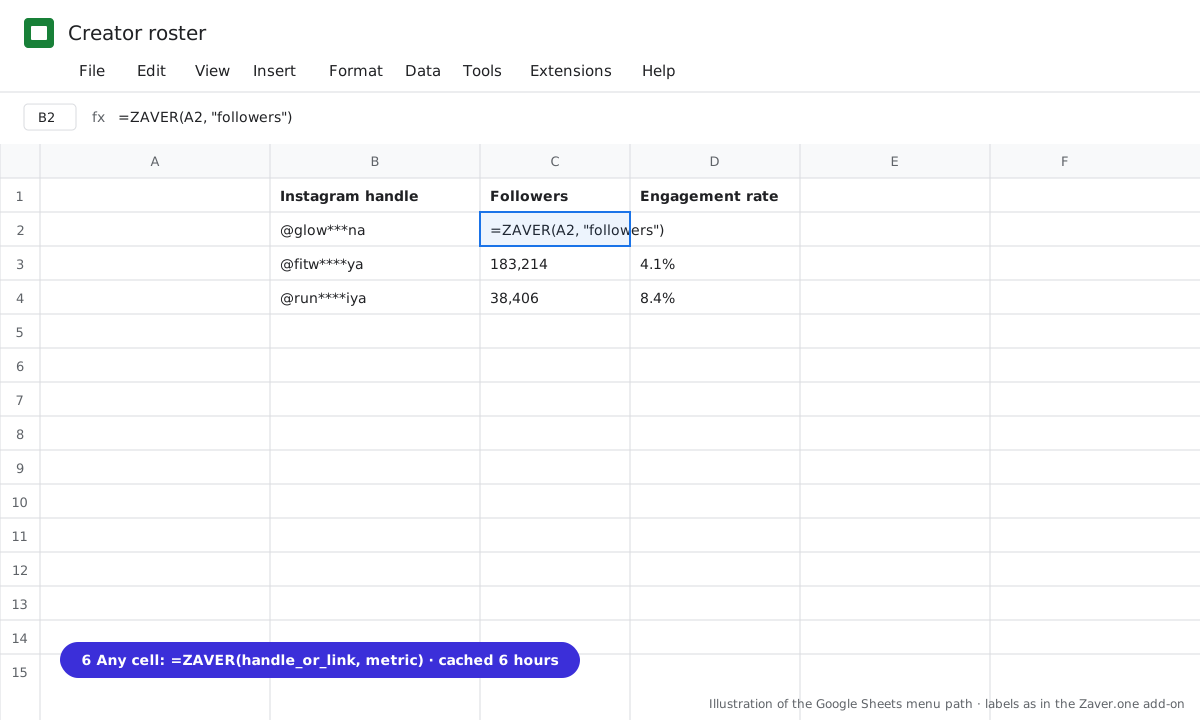
3 Any cell: =ZAVER(handle or link, metric).
What you get
Input: Deliverables · 12 posts · daily refresh · promo codes
| Creator | Spend | Views | Cost / view | Cost / eng. | Reach vs usual | Code sales |
|---|---|---|---|---|---|---|
| @glow***na | $1,000 | 112K | $0.009 | $0.10 | 1.3× | $2,140 |
| @fitw****ya | $1,400 | 84K | $0.017 | $0.22 | 0.9× | $960 |
| @sk***by.m | $150 | 14K | $0.011 | $0.08 | 2.0× | $410 |
The small creator with 2× her usual reach and the best cost per engagement is the one to rebook.
Illustrative sample. Handles are masked; numbers show the shape of a real result, not a specific account.
Cost
150 credits per 1,000 post refreshes (0.15 per post per day). Scheduling free on Growth and Scale.
Limits
- Public posts on Instagram, YouTube, Facebook and X
- Revenue attribution today uses your own promo codes or UTM links per creator, pasted into the sheet. A Shopify integration for revenue attribution is coming soon; nothing on this page depends on it.
Questions
Can Zaver see my sales?
Not today. Revenue comes from your promo codes or UTM links. A Shopify integration for revenue attribution is coming soon.
How often should I refresh?
Daily for the first two weeks after posting, then weekly. Most views arrive in the first 72 hours.
Related playbooks
Report influencer ROI to leadership in one tabCompare creators after the campaign to pick the next shortlistAutomate influencer campaign reporting in Google SheetsPost metrics to SheetsAll playbooks