Playbook · Google Sheets · 3 min
Track Instagram reel views in Google Sheets
Campaign reporting on delivered posts.
Paste the deliverable links in a column, select them and run Extensions → Zaver.one → Post Analytics. Seven columns land beside the links: Posted By, Type, Likes, Comments, Plays, Views and Caption. Re-run after the six-hour cache to refresh. For a refresh that runs itself every morning, use Radar's Post metrics → Google Sheet tool on a schedule.
You need
- The add-on connected
- A column of post or reel links
Step by step in Zaver
- 1
Paste the links
One deliverable per row in the Deliverables tab.
- 2
Run Post Analytics
Select the links. Seven columns are written beside them.
- 3
Refresh
Re-run on the same rows after six hours, or schedule the Radar tool for daily refreshes.
In Google Sheets
Single cell: =ZAVER("<post link>", "views") or "likes", "comments", "plays", "type", "caption", "username".
=ZAVER("https://www.instagram.com/reel/…", "views")Where it is in Google Sheets
The menu path, step by step. Labels match the Zaver.one add-on.
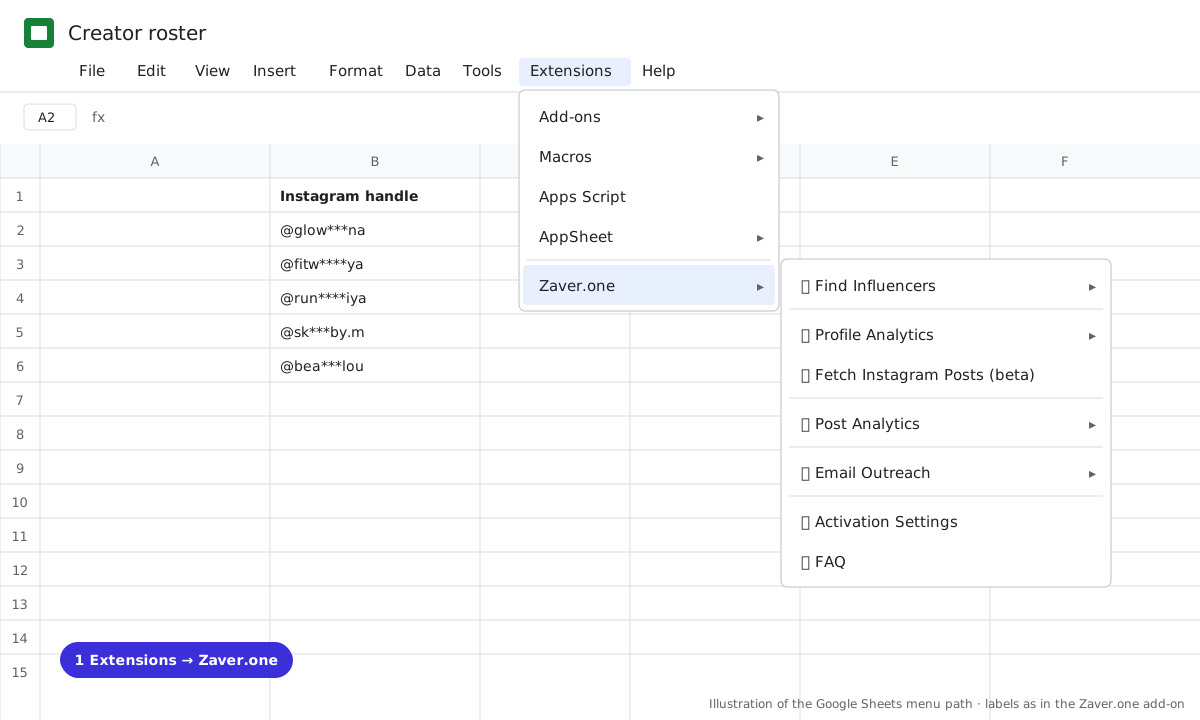
1 Extensions → Zaver.one. Every action starts here. 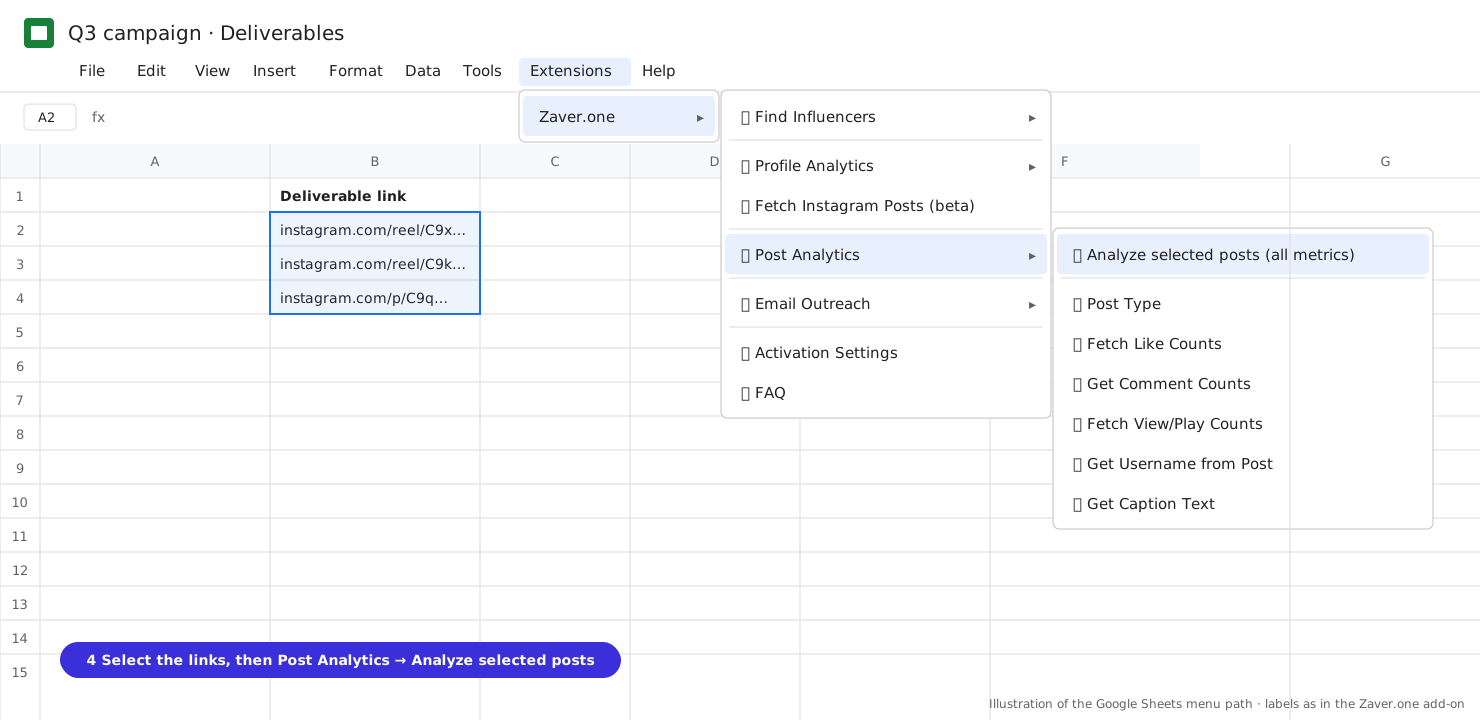
2 Select the post links, then Post Analytics → Analyze selected posts (all metrics). 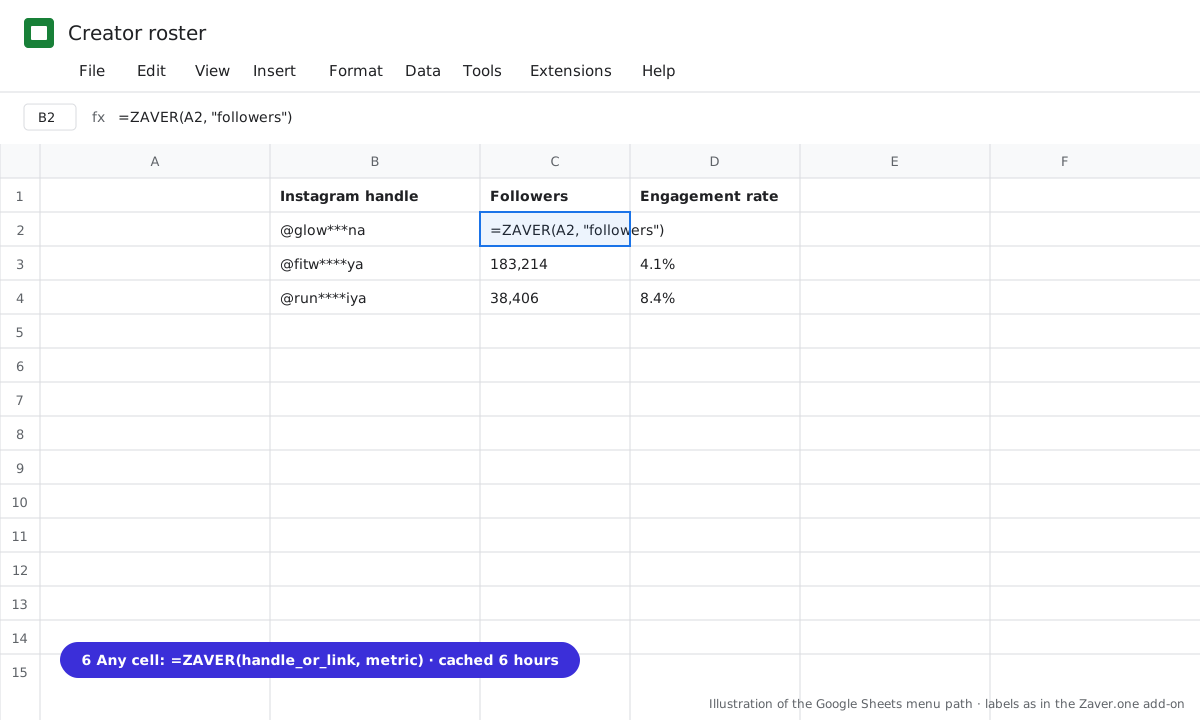
3 Any cell: =ZAVER(handle or link, metric).
What you get
Input: 12 reel links · Post Analytics
| Posted by | Type | Likes | Comments | Plays | Views |
|---|---|---|---|---|---|
| @glow***na | reel | 9.8K | 640 | 118K | 112K |
| @fitw****ya | reel | 6.1K | 410 | 90K | 84K |
Illustrative sample. Handles are masked; numbers show the shape of a real result, not a specific account.
Limits
- Bulk is Instagram; YouTube and X links take single-metric items
- X lookups cover the author's last 20 posts
Questions
Does it refresh?
Re-run on the same rows after the six-hour cache. For scheduled refreshes use Radar's Post metrics → Google Sheet tool.
Related playbooks
Automate influencer campaign reporting in Google SheetsTurn your influencer scouting sheet into a live trackerGoogle Sheets add-onAll playbooks