Playbook · Vet creators · 15 min
Screen a creator for brand values before outreach
Brands where one wrong placement costs more than the whole campaign.
Run the insight report first: content pillars, format split, top hashtags, detected brand partnerships and strategy notes on brand fit and risk tell you what the creator stands for in numbers. Then list the last 20 reel URLs and run reel transcripts; search the text for medical claims, competitor names, profanity or topics on your no-go list. Twenty reels cost 10 credits. Keep the transcript output with the creator's file as the record of what you checked.
You need
- The handle
- Your brand-safety list of words and topics
Step by step in Zaver
- 1
Insight report
Content pillars with engagement share, tone of the top posts, detected brand deals and the risk line in strategy notes.
- 2
Check partnerships
A direct competitor in the last 60 days is a conflict to raise before the offer, not after.
- 3
Pull the recent reels
Sheets add-on → Fetch Instagram Posts for the last 12, or the API track endpoint for more.
- 4
Transcribe and search
Tools → Reel transcripts on the URLs. Search for your no-go terms; timestamps take you to the moment.
- 5
Record the decision
Pass, pass with a note, or decline. File the transcript output.
Or ask it in ChatGPT or Claude
With Zaver connected as an MCP server, the whole job is one message. Your assistant calls get_creator_insights behind the scenes.
screen @glow***na for a skincare brand: pillars, tone, past partnerships, and transcribe her last 20 reels to flag medical claims, competitor mentions or profanityThe assistant follows with run_data_tool for reel transcripts.
Not connected yet? Set it up in about a minute.
Where it is in Google Sheets
The menu path, step by step. Labels match the Zaver.one add-on.
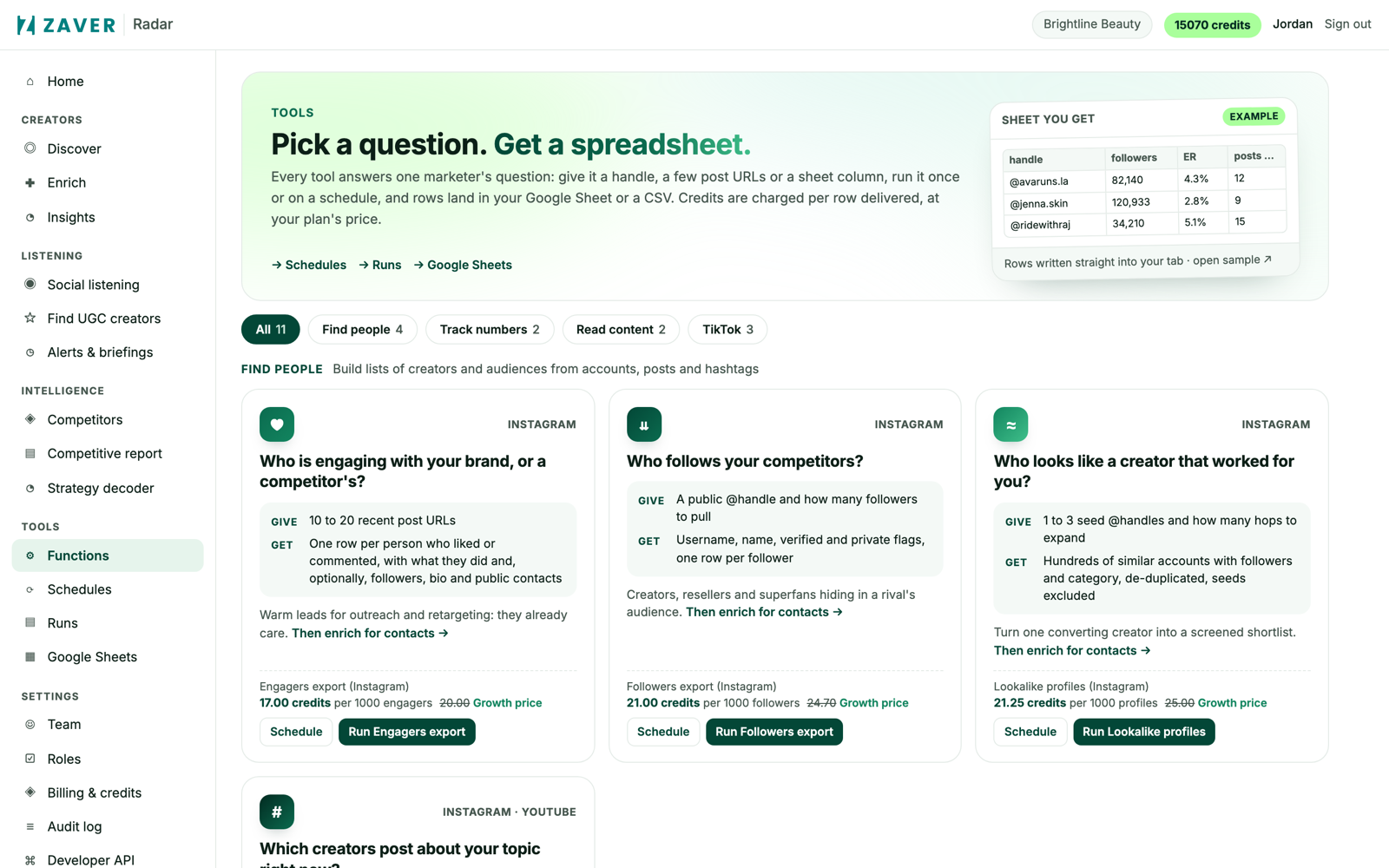
1 Radar → Tools: every tool runs once or on a schedule, and can write into a connected Google Sheet. 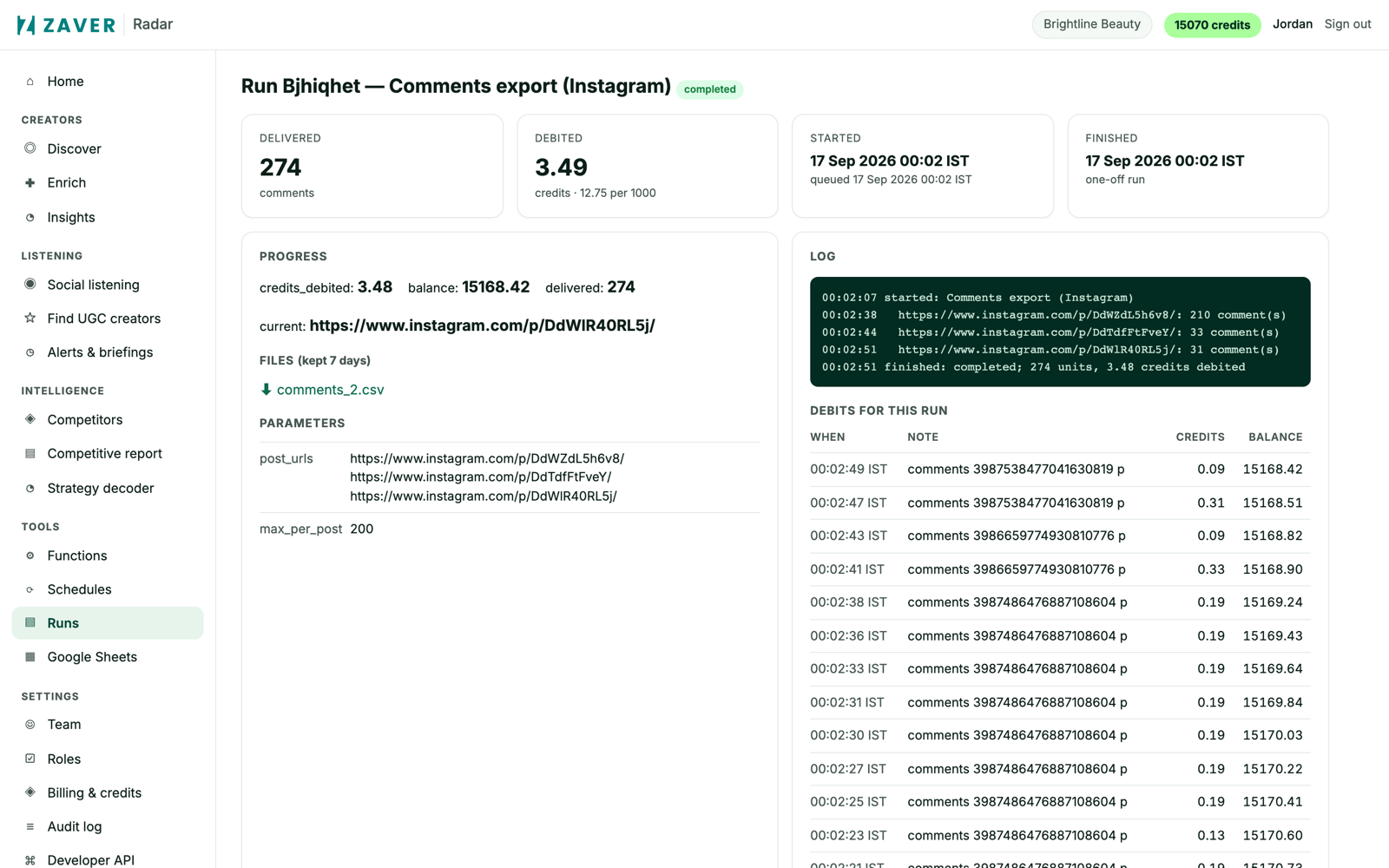
2 Radar → Runs: progress, log, credits debited and the CSV for every run.
What you get
Input: @glow***na · 20 reels
| Check | Result | Decision |
|---|---|---|
| Pillars | skincare routines 44% · product reviews 31% · lifestyle 25% | fits |
| Partnerships | 2 skincare brands, none direct competitors | ok |
| Transcripts | 1 flag: "clears acne in three days" (reel 4, 0:42) | pass with a claims note |
Illustrative sample. Handles are masked; numbers show the shape of a real result, not a specific account.
Limits
- Detection covers the sampled reels and posts, not the full history
- Music-only reels return little text
Questions
Which languages do transcripts handle?
Auto-detected, or pin a language per run.
Related playbooks
Screen creator videos for brand safetySee which brands a creator has worked withCheck a creator's audience before you commitReel transcriptsAll playbooks