How-to · 2 min
How to use team roles and the audit log
Bring the whole team into one workspace with roles, and keep everything accountable with an audit log.
- Step 1
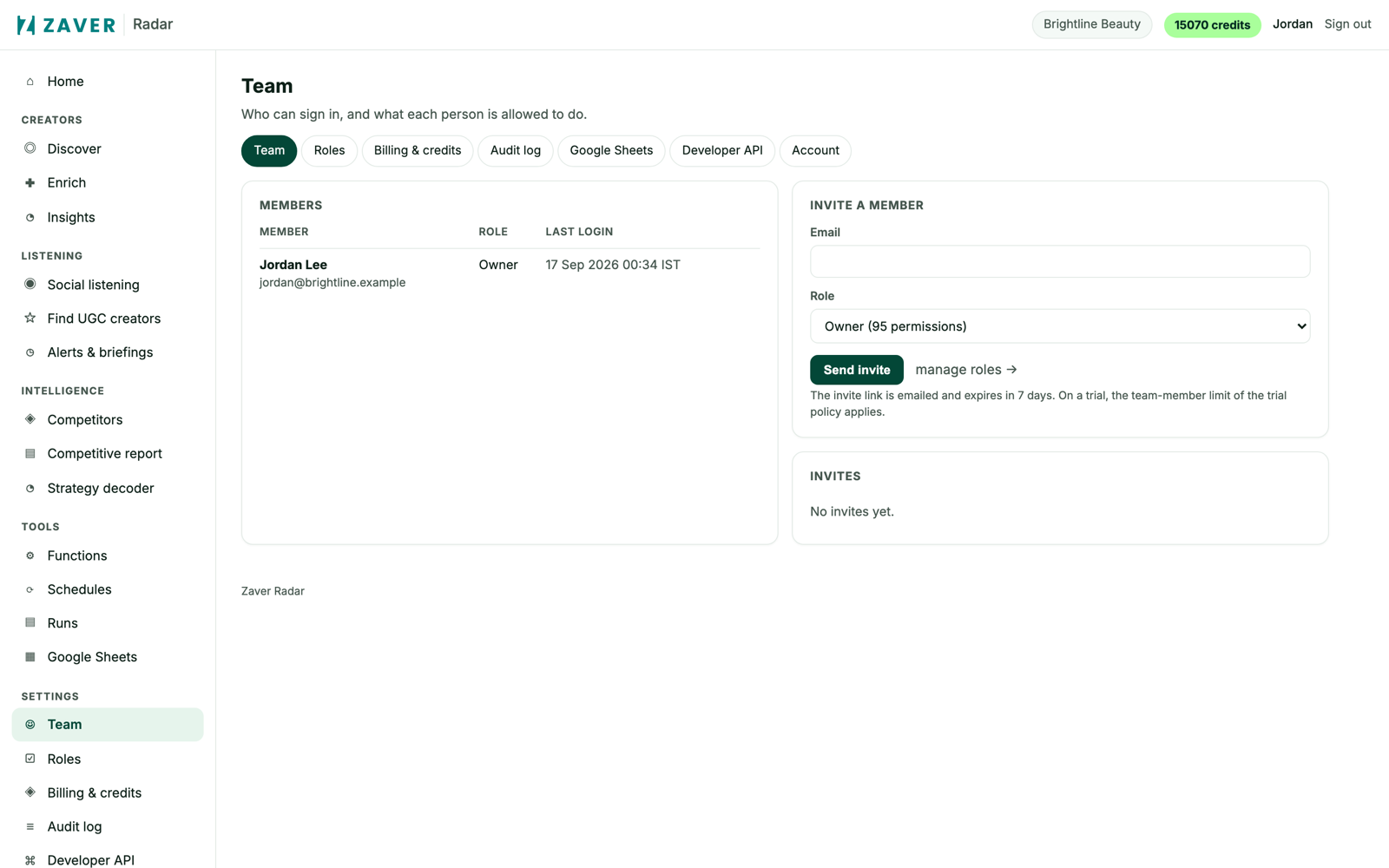
Set roles
Invite analysts, managers and clients and give each a role that decides what they can spend and run - billed per workspace, not per seat.
- Step 2
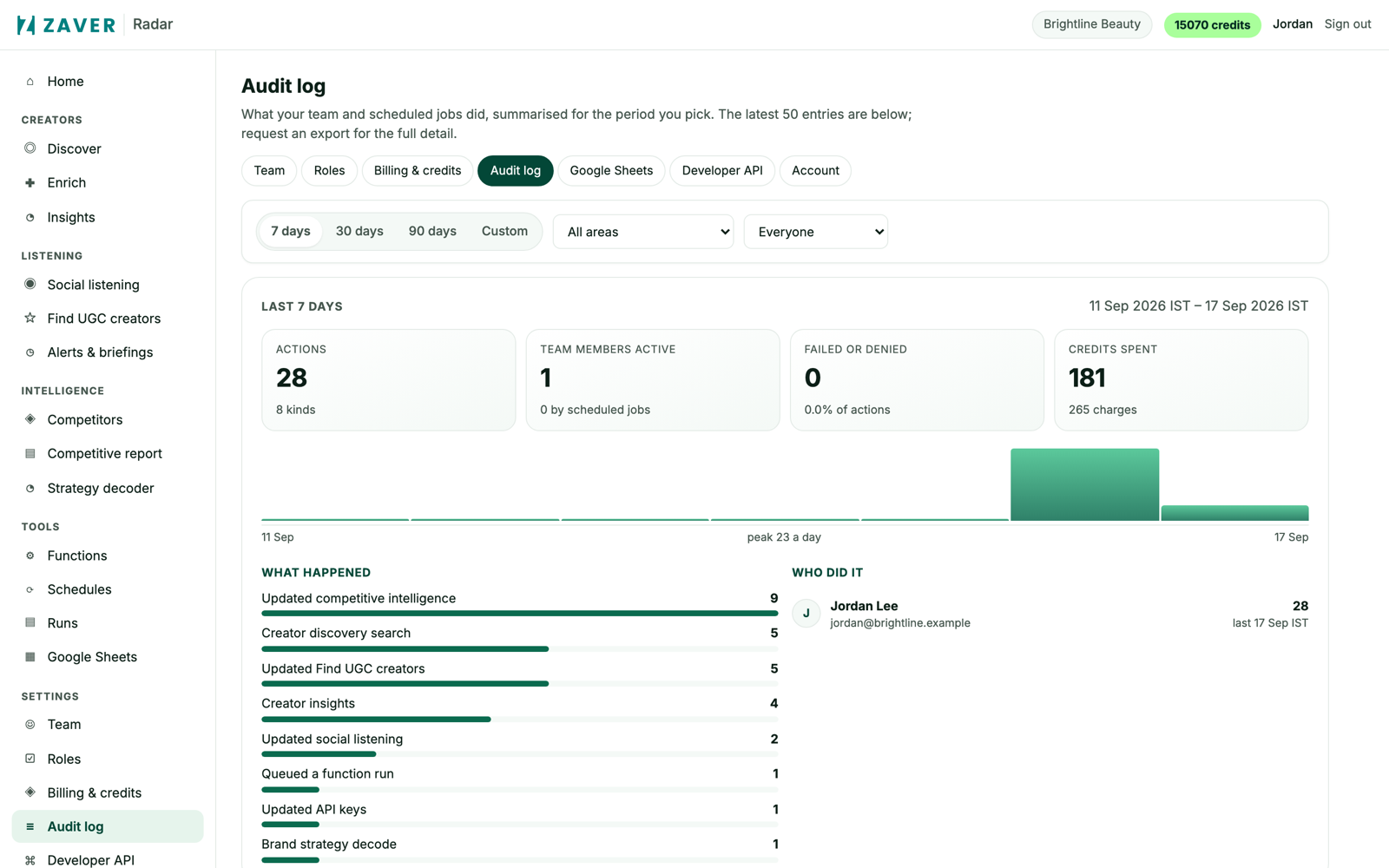
Review activity
The audit log shows a period summary, a per-day chart, top actions and who did them, with a CSV export for reporting.