How-to · 2 min
How a client reviews a shortlist on their phone
The public shortlist works just as well on a phone. Here’s what your brand manager sees when they review on the go.
- Step 1
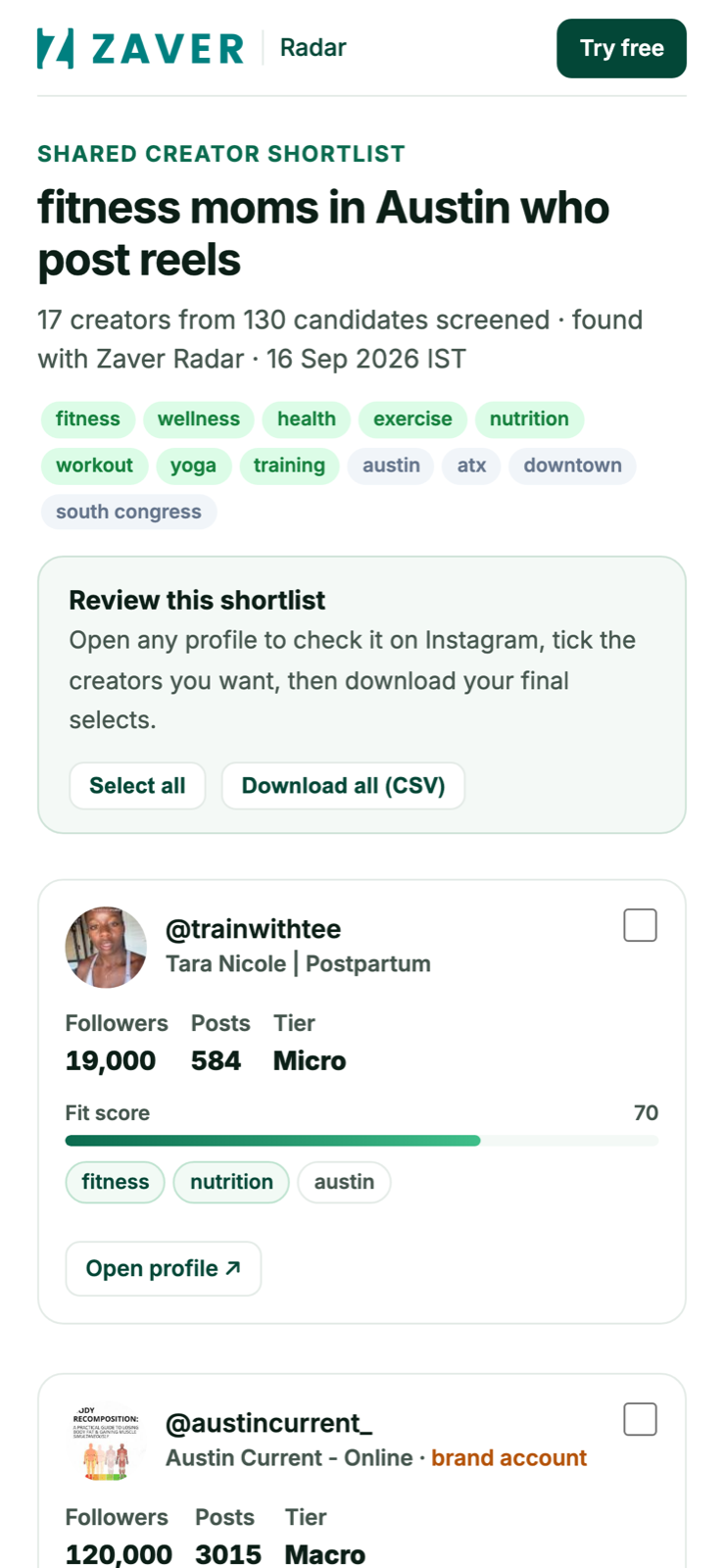
Open the link
They tap the link and scroll the shortlist - profiles, scores and fair prices, all on mobile.
- Step 2
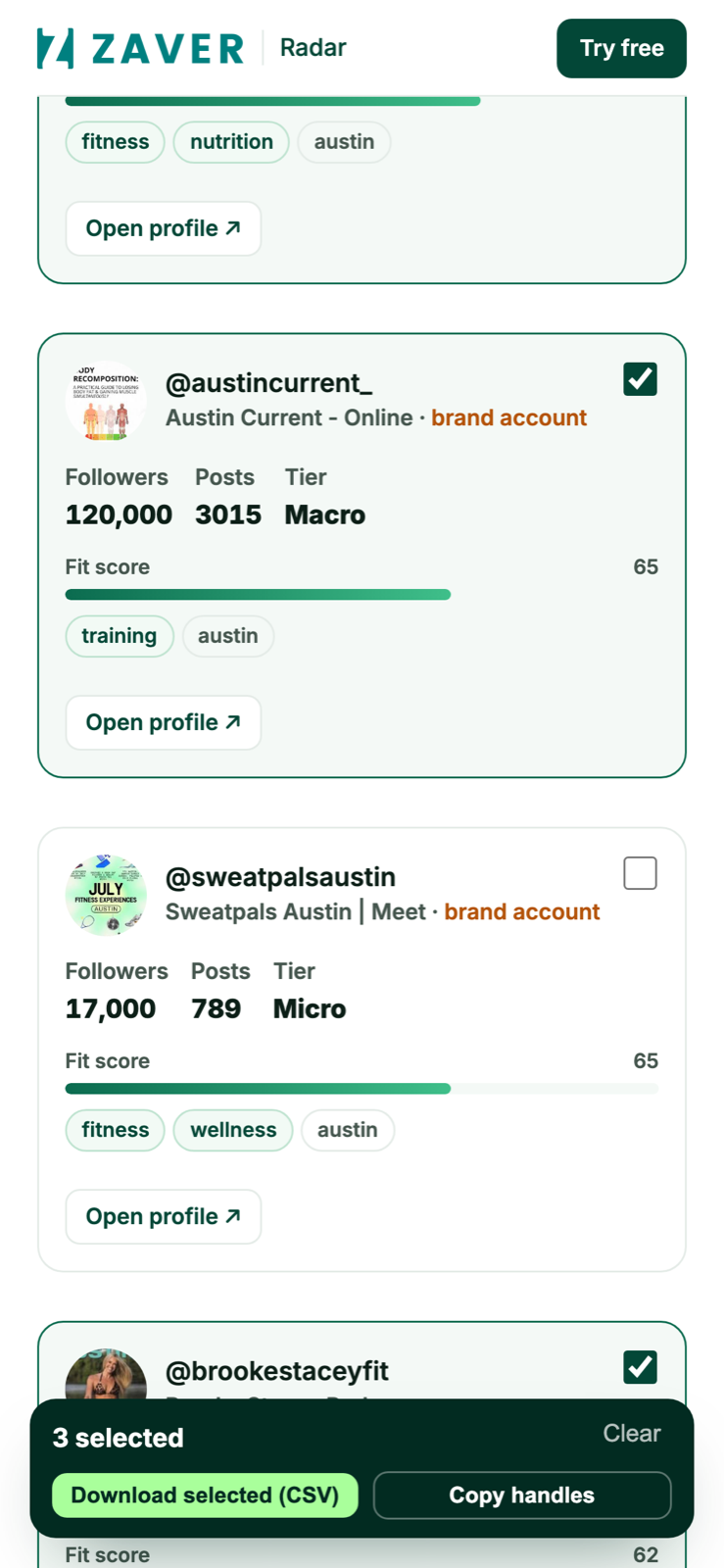
Tick and download
They select the creators they want and tap Download selected for a CSV - no app, no account.