How-to · 3 min
How to find creators with a plain-English search
Describe who you need the way you would to a colleague, and Radar returns a ranked, scored shortlist you can open or share. Here’s the whole flow.
- Step 1
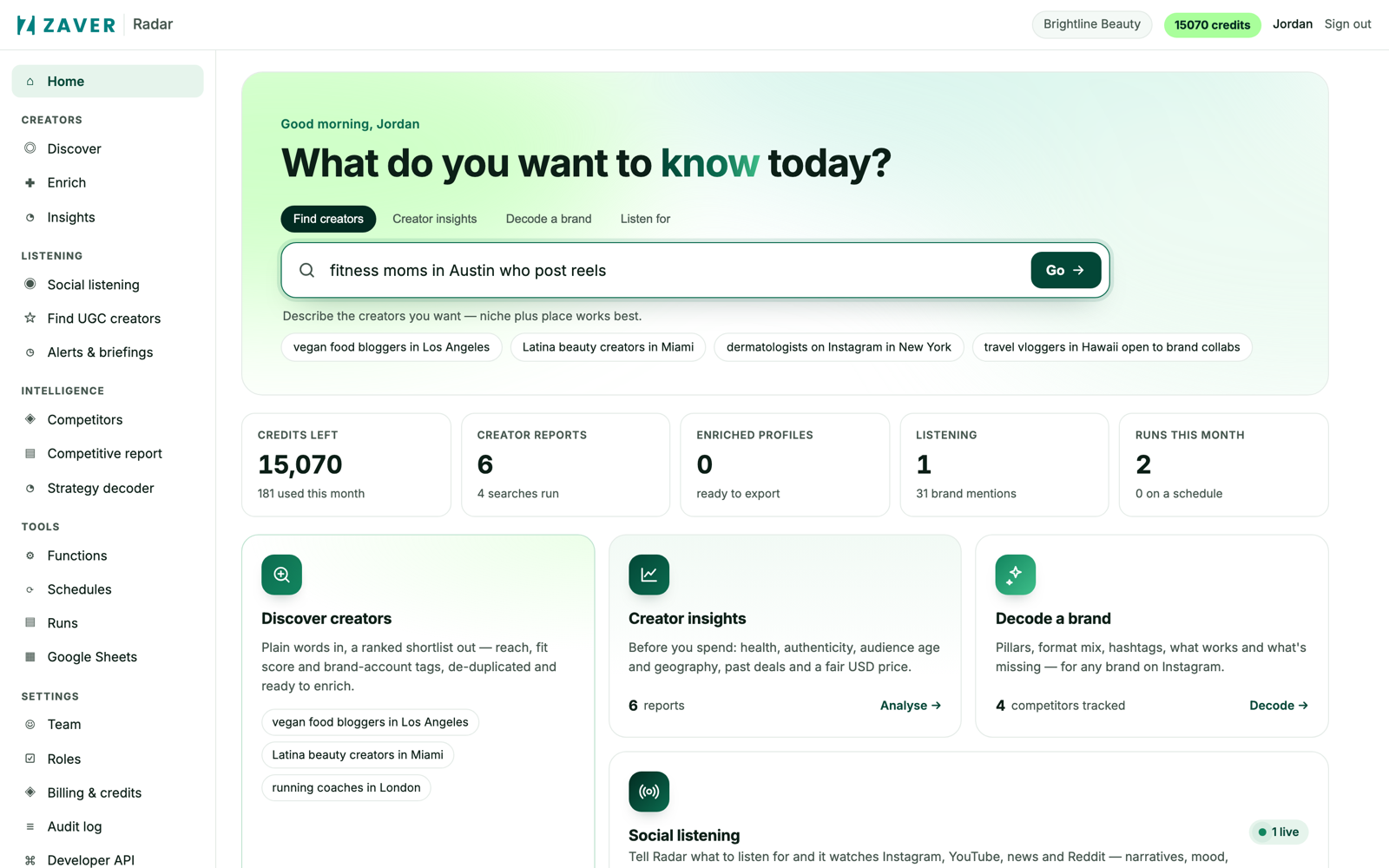
Type your brief
From the command bar, describe the creators you want - “fitness moms in Austin who post reels.” No filters or boolean operators required.
- Step 2
Read the ranked shortlist
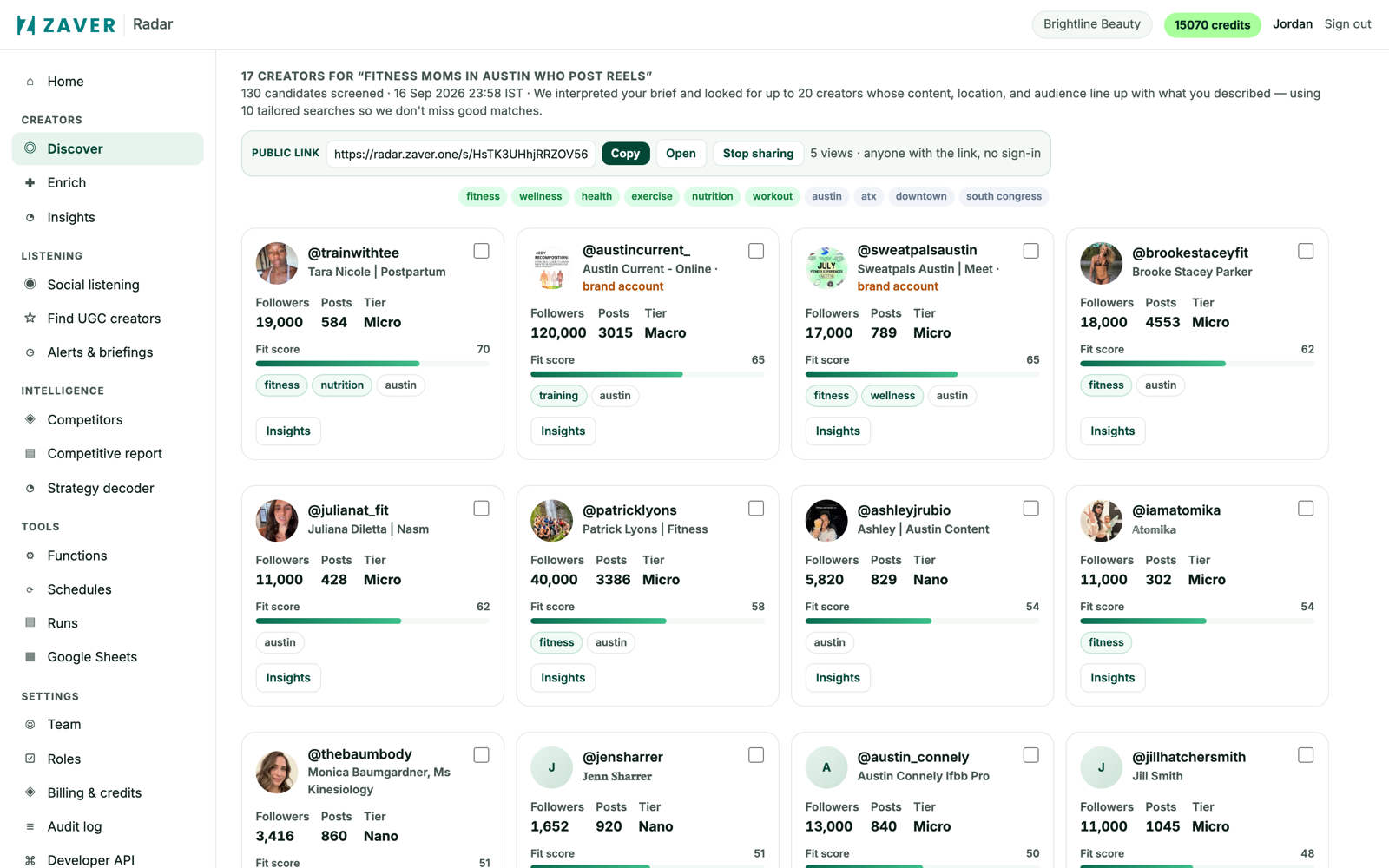
Radar screens the index and returns matches ranked by fit, each with a score and niche/location tags. Open any profile for the full insight report.
- Step 3
Share or export
Share the shortlist as a public link for sign-off, or export to CSV. Re-running the same brief later is instant.
